

Description
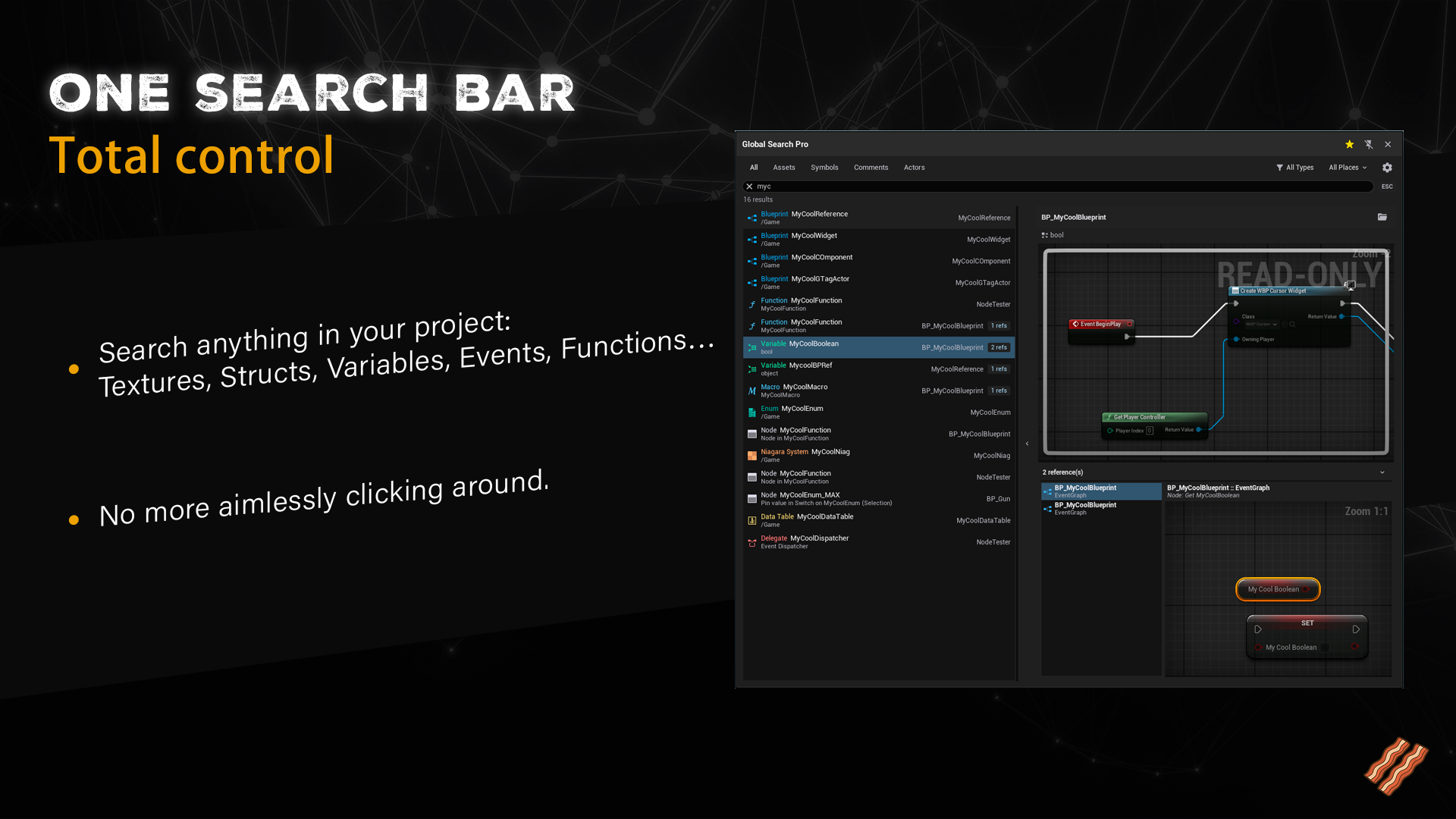
Global Search Pro is a productivity plugin that adds a powerful, editor-integrated global search system to Unreal Engine.
Search across assets, Blueprints, symbols, actors, comments, and project data in real time, from anywhere in the editor, without breaking your workflow.
Designed for solo developers and teams who need fast navigation, accurate indexing, and editor-friendly performance.
Video | Documentation
Key features
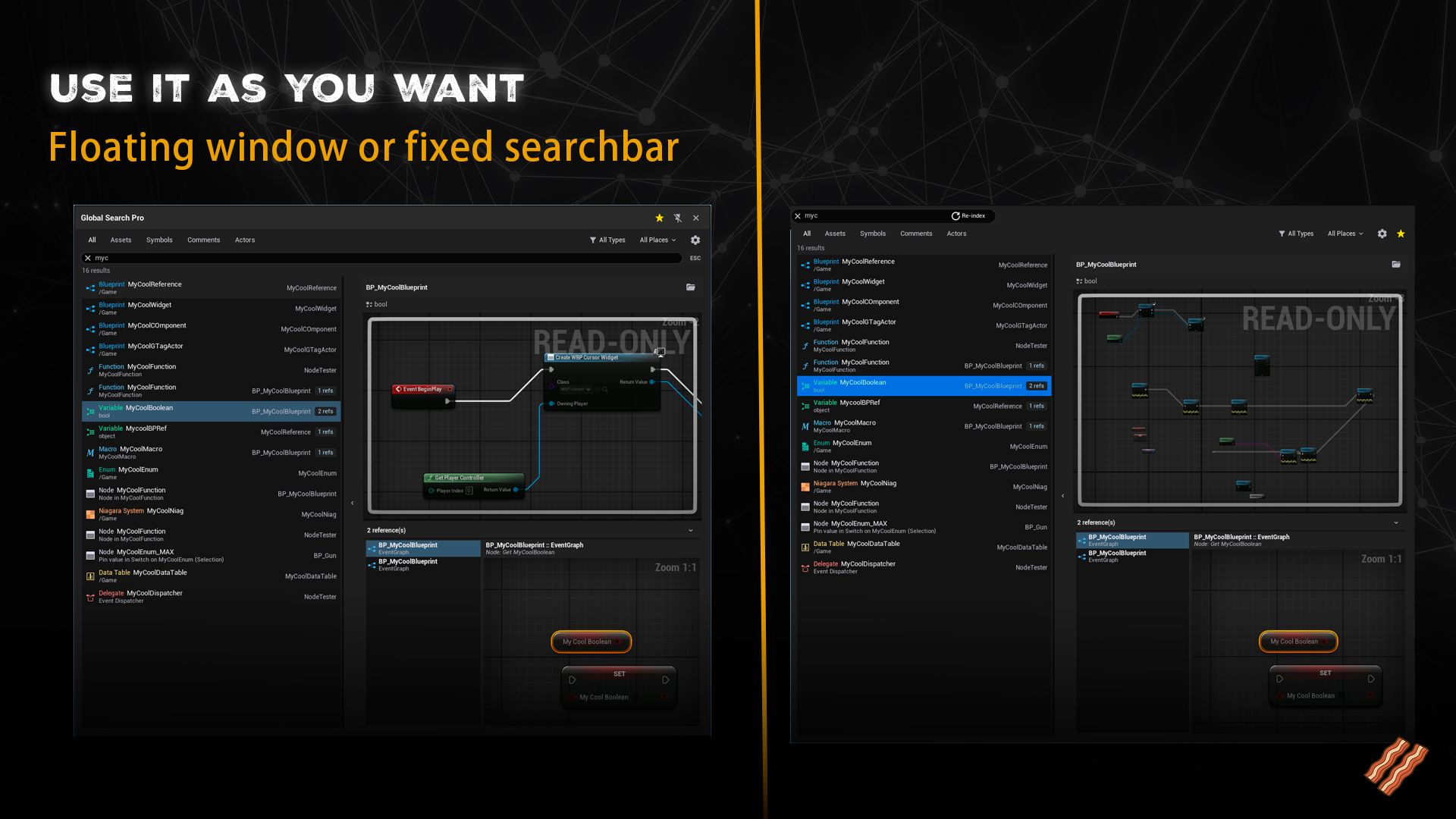
- Floating Search Window (Alt+O) – Access global search instantly from anywhere, including the viewport
- Optional Static Search Bar – Toolbar integration for Level, Blueprint, Widget, and Animation Blueprint Editors
- Advanced Categories & Scopes – Assets, Symbols, Actors, Comments, Project, Engine, Plugins, and more
- Instant Navigation – Jump directly to any asset, function, variable, or symbol
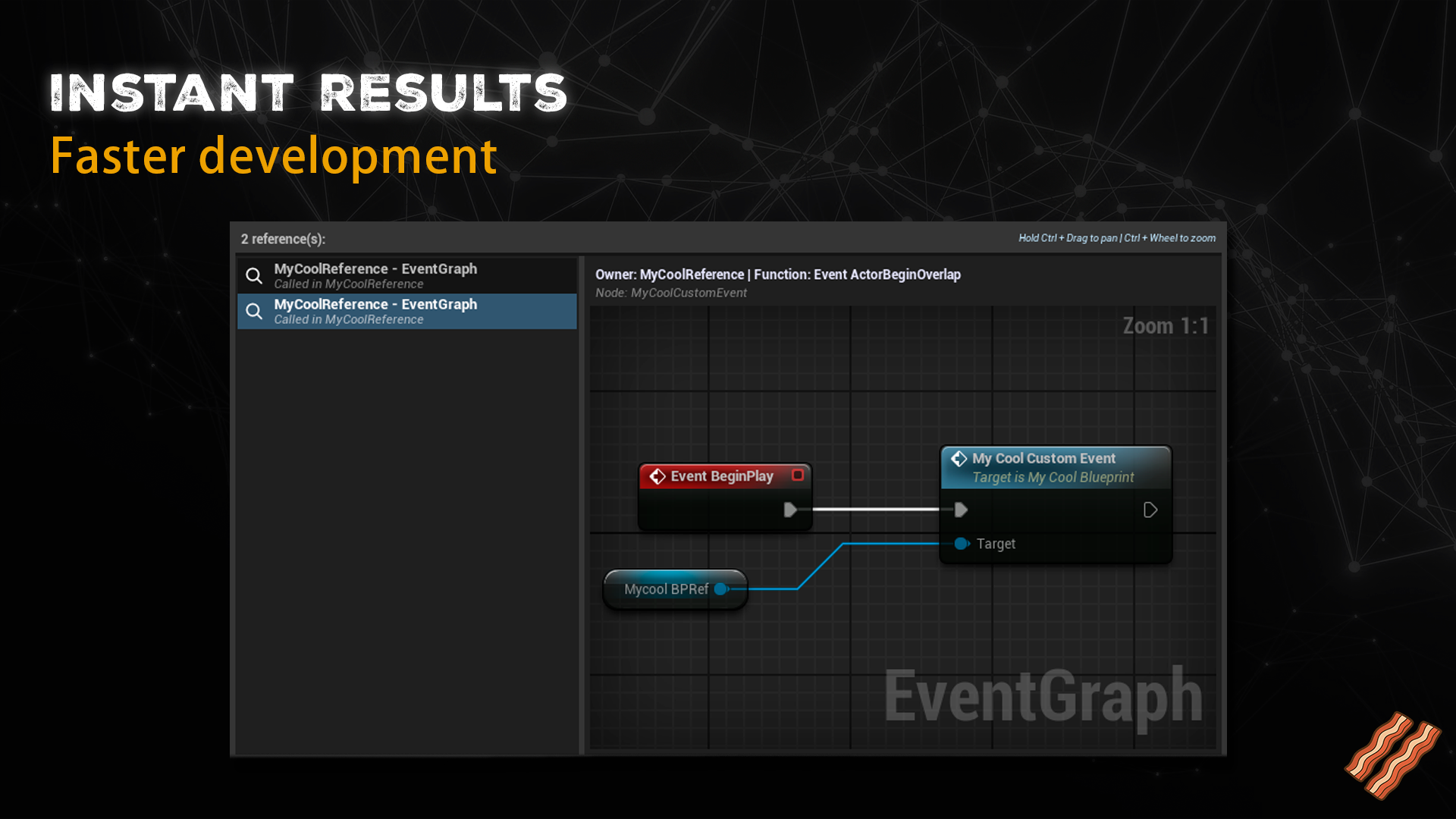
- Automatic Reference Detection – Retrieves and displays references for every result
- Context Previews – Preview reference context and navigate directly to it, wherever it lives
- Full Cross-Blueprint Navigation – Jump into nodes inside Blueprint functions implemented in other Blueprints
- True Cross-Blueprint Exploration – Navigate implementations across modular and interconnected Blueprints
- Smart Fuzzy Search – Typo-tolerant search powered by n-grams
- Metadata-Based Indexing – Minimal memory usage with maximum coverage
- Automatic Reindexing – Updates instantly when assets are created or modified
Technical overview
- Deep indexing of Blueprint elements (variables, functions, events, macros, comments)
- Metadata-only indexing for non-Blueprint assets
- Parallel indexing with multiple worker threads and disk cache
- Real-time updates via Asset Registry notifications
- Automatic throttling and PIE-aware indexing
- Fully thread-safe and editor-friendly performance
CHANGELOG:
Version 1.1
- Improved indexing performance for faster search results.
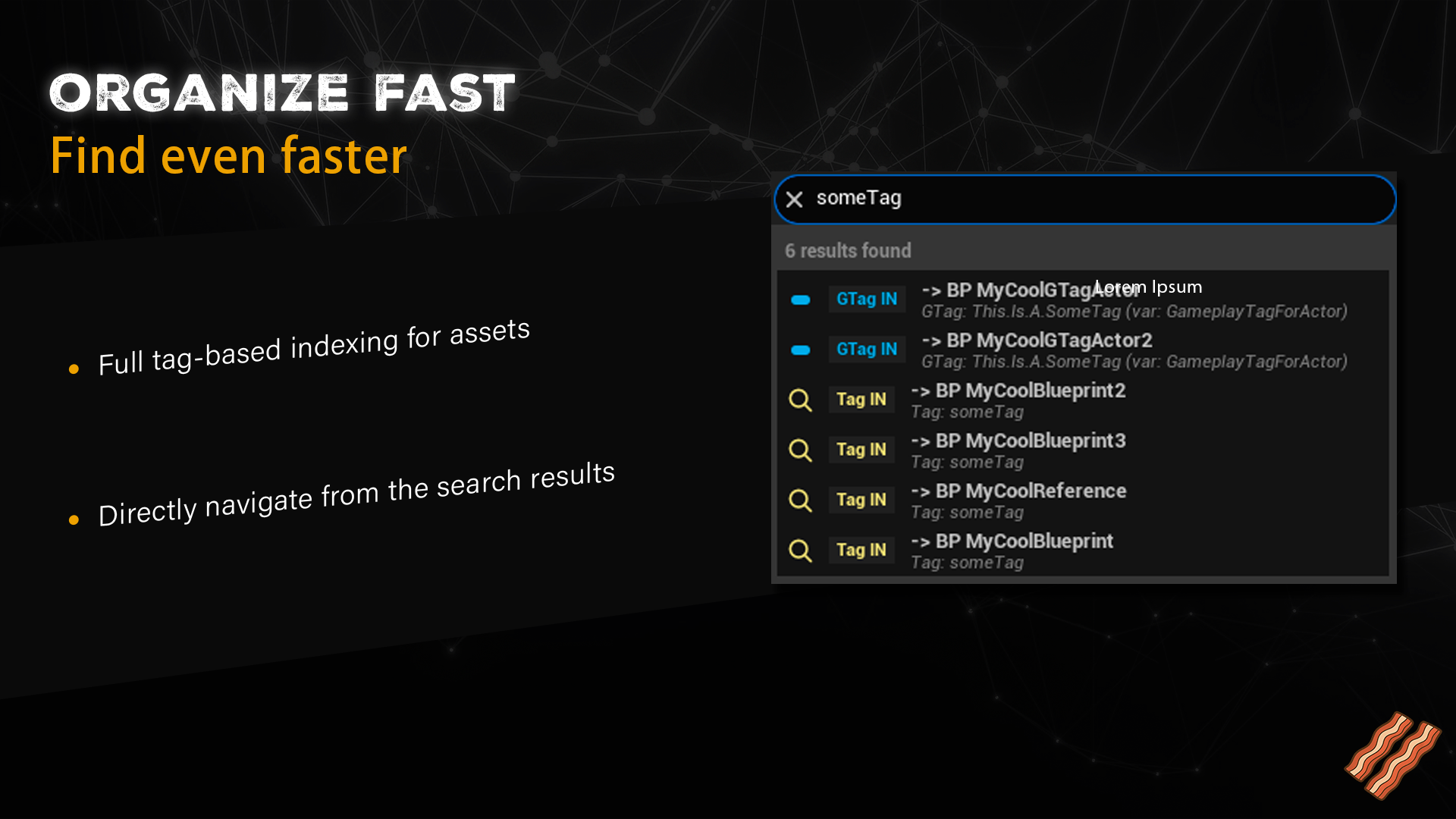
- Added support for searching by Actor Tags and Gameplay Tags.
- Bug Fix: Corrected indexing behavior when running outside of the foreground thread.
Version 1.2
- Added disk-based cache storage, enabling instant indexing after the first run.
- Added a manual re-indexing button to quickly rebuild the index in case of conflicts.
- Added a dedicated settings panel under Edit → Project Settings → Plugins → Global Search Pro, allowing configuration of where the search bar is displayed (Editor, Blueprints, Widgets, AnimBlueprints).
Version 1.3
- Fully rebuilt the cache system from the ground up, resulting in a ~95% lighter and faster data footprint.
- Redesigned the data and reference loading pipeline into an asynchronous, batch-based system to avoid editor stalls.
- Added search filters for cleaner and more focused queries.
- Improved SearchBar text feedback for clearer indexing and search states.
- Bug Fix: Corrected UI text in the reference window (thanks to Souls Alive).
- Bug Fix: Fixed an issue where certain classes were incorrectly identified as Data Assets.
Version 1.4
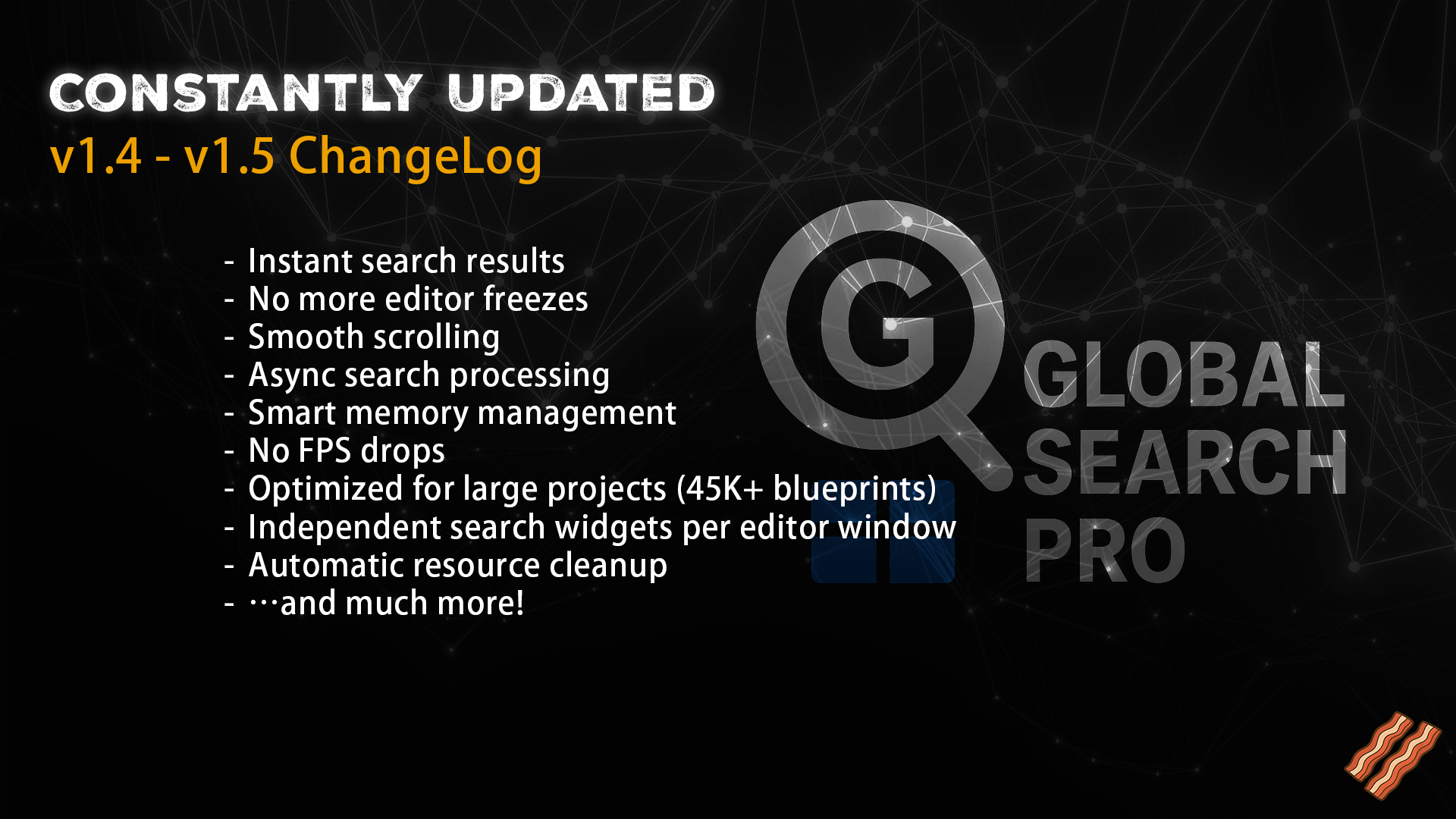
- Bugfix: Fixed virtualization not working correctly, which caused the editor to freeze for several seconds when searching for common terms with many results.
- Bugfix: Fixed performance degradation where the editor FPS would permanently drop after performing multiple searches.
- Bugfix: Fixed jerky/stuttering scrolling when navigating through search results.
- Bugfix: Fixed an issue where all open editor windows (Blueprint Editor, Widget Editor, Animation Blueprint Editor) shared the same search widget, causing text typed in one window to appear in all others.
- Bugfix: Fixed search widget resources not being properly released when closing the dropdown or clearing the search text.
Version 1.5
- Bugfix: Fixed search delay where results would take ~1 seconds to appear after typing, now displaying in ~100ms.
- Bugfix: Fixed performance degradation where editor FPS would drop after performing multiple searches due to memory accumulation.
- Bugfix: Fixed UI lag and stuttering when typing or deleting text in the search bar.
- Improved search performance with asynchronous processing that no longer blocks the editor.
- Improved memory management with automatic cleanup to prevent resource buildup during extended search sessions.
- Optimized for large projects (tested with 45,000+ blueprints without performance issues).
Version 1.6-1.7
- BugFix: Remove internal Asset Tag from listings
Version 2.0
• Floating Search Window (Alt+O) – Instant access from anywhere, even the viewport
• Category Tabs & Scope Filters – Assets, Symbols, Actors, Comments, Project, Engine, Plugins…
• Live Graph Preview & Node Navigation – Jump straight to the exact node
• Collapsible References Panel – Explore dependencies with built-in previews
• Smart Fuzzy Search – Fast, typo-tolerant results across 100+ asset types
• Parallel Indexing Engine – Multi-threaded, cached, throttled, and editor-friendly
Technical details
Features
Real-time global search available via a floating window (Alt+O) and optional editor toolbars.
Advanced category tabs and scope filters including Assets, Symbols, Actors, Comments, Project, Engine, and Plugins.
Deep indexing of Blueprint elements such as functions, variables, events, macros, and comments.
Metadata-based indexing for materials, textures, data assets, VFX, and other asset types.
Instant navigation to any asset, symbol, or Blueprint element.
Automatic retrieval and display of reference information for every result, with context previews and direct navigation.
Full navigation into nodes inside Blueprint functions implemented in other Blueprints, enabling true cross-Blueprint exploration.
Smart fuzzy search with typo tolerance.
Automatic incremental reindexing when assets are created, modified, or deleted.
Thread-safe indexing with low memory usage and editor-friendly performance.
Code Modules
Module Name: GlobalSearchPro
Module Type: Editor
Number of Blueprints
0
Number of C++ Classes
Approximately 10–15 C++ classes (indexing, search engine, cache, workers, UI, commands, settings, data models).
Network Replicated
No
Supported Development Platforms
Windows: Yes
Mac: No
Supported Target Build Platforms
Editor-only plugin. Does not affect packaged builds.
Documentation
Documentation
Example Project
None
Important / Additional Notes
Editor-only plugin, not included in packaged builds.
Parallel indexing with multiple worker threads and compressed on-disk cache.
Automatic throttling and PIE-aware indexing to avoid editor frame drops.
Designed to scale efficiently to very large projects.
You can contact us at any time and request that the asset you want be added to the site from the Request Asset section.