Preview(Video Demo): https://youtu.be/jVQQpeTj9sg
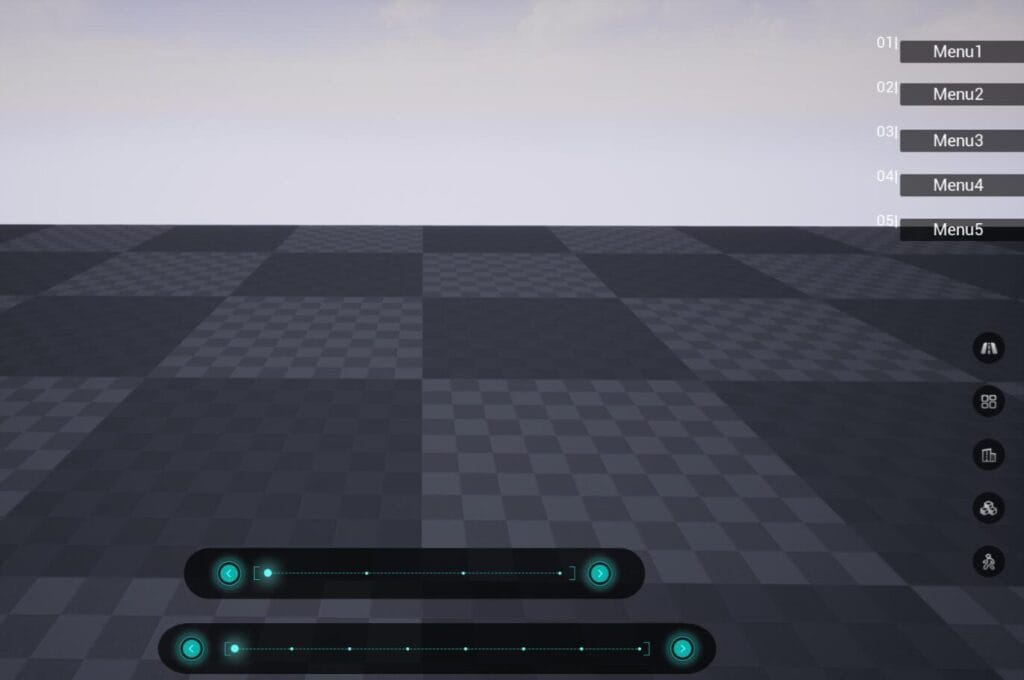
Contains three very useful UMG type UI Widgets.
1? PopupAnimatedMenu(Vertical)
When the user places the mouse over the menu item, the menu item will popup to the left a certain distance. And the menu item will be restored to its original state when the mouse leaving it.
2? HoverDisplayTextMenu(Vertical)
When the mouse hovers over the menu item, the name of the menu item will be displayed on the left of the menu item. After clicking the menu item, the menu name will always be displayed on the left of the menu item, and the icon of the menu item will change to indicate that the item is selected.
3?FlippingPageTypeSlider(Horizontal)
You can use the buttons on the left and right of the slider to go through the traditional previous and next selections, and you can also select an item directly by clicking the node above the slider.
All the UI Widget are implemented in the blueprints.
The following properties of all UI Widgets for are configurable :
- ��������Number of menu items
- ��������Menu item background image
- ��������Menu item text (including font style)
- ��������Menu size.
You can contact us at any time and request that the asset you want be added to the site from the Request Asset section.