

Description
Documentation: Blueprint Exporter Doc
How it works: YouTube Demo
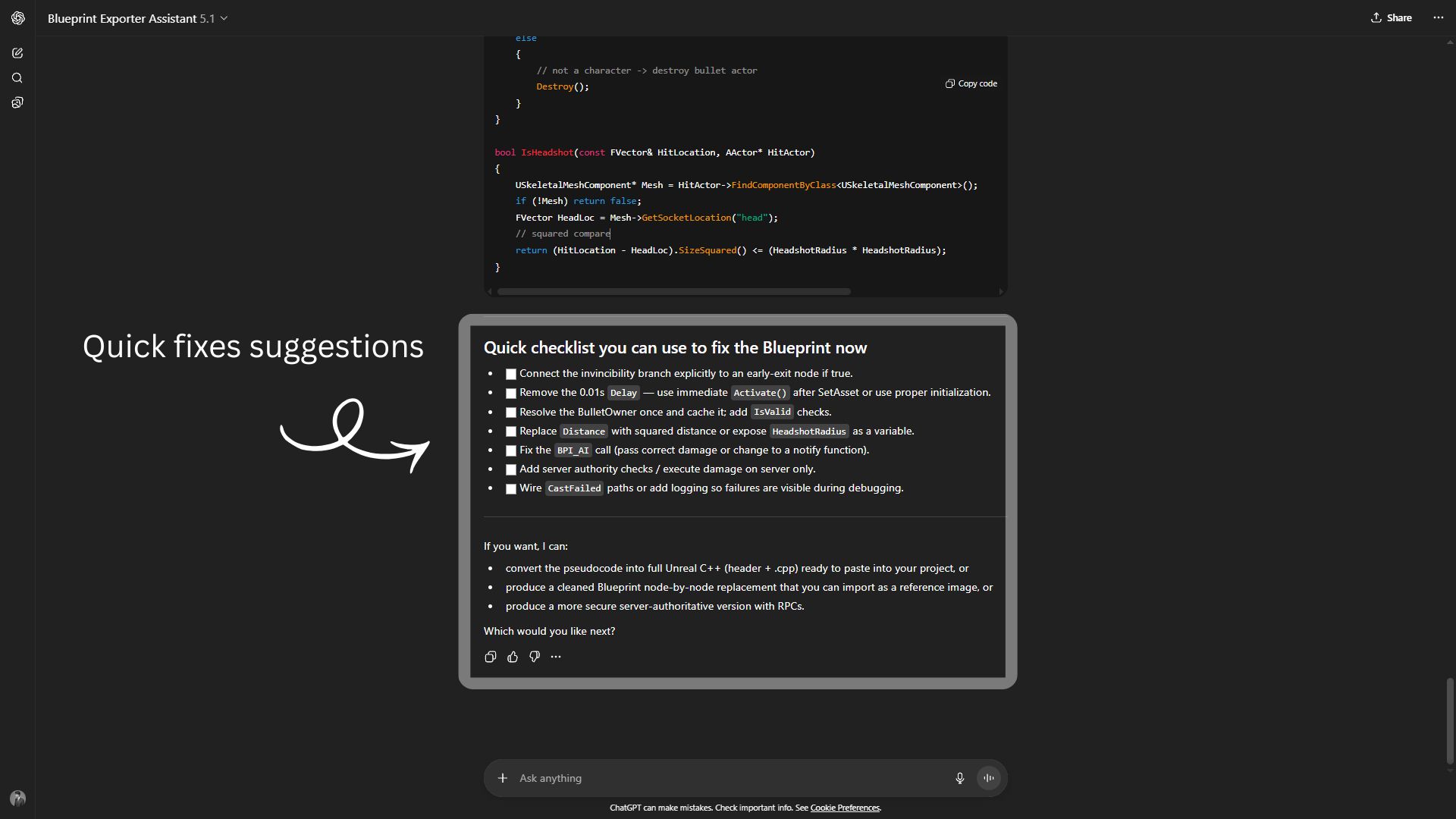
Blueprint Exporter Assistant: Custom GPT
Speed up debugging and documentation with the Blueprint Text Exporter plugin. This tool lets you export a readable execution flow from any Blueprint asset, showing connected nodes in a clean, indented text format.
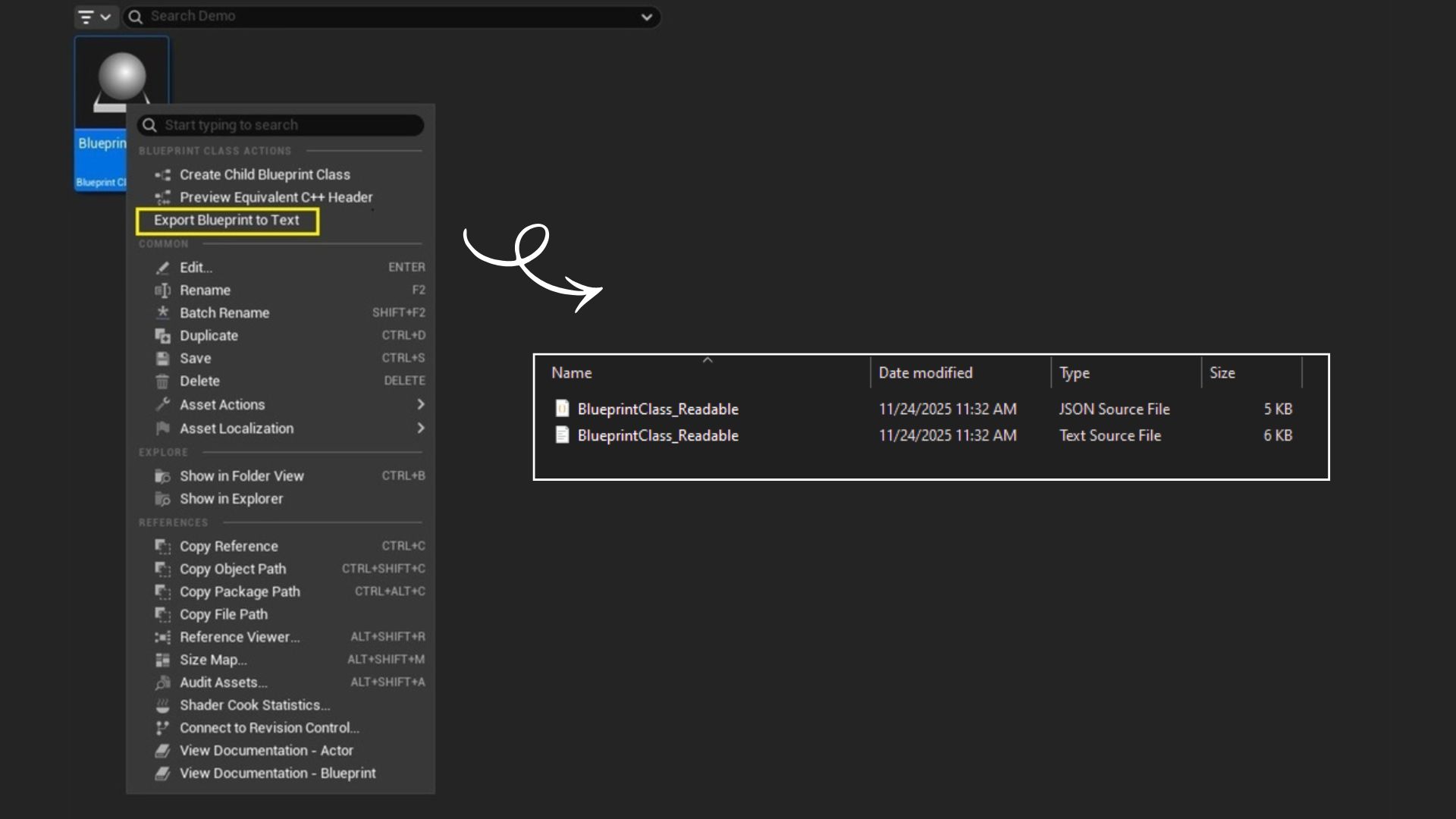
No need to open the Blueprint Editor or screenshot graphs – just right-click and export your Blueprint as a plain text .txt or structured .json file.
✨ Features:
🔍 Readable Execution Flow Output
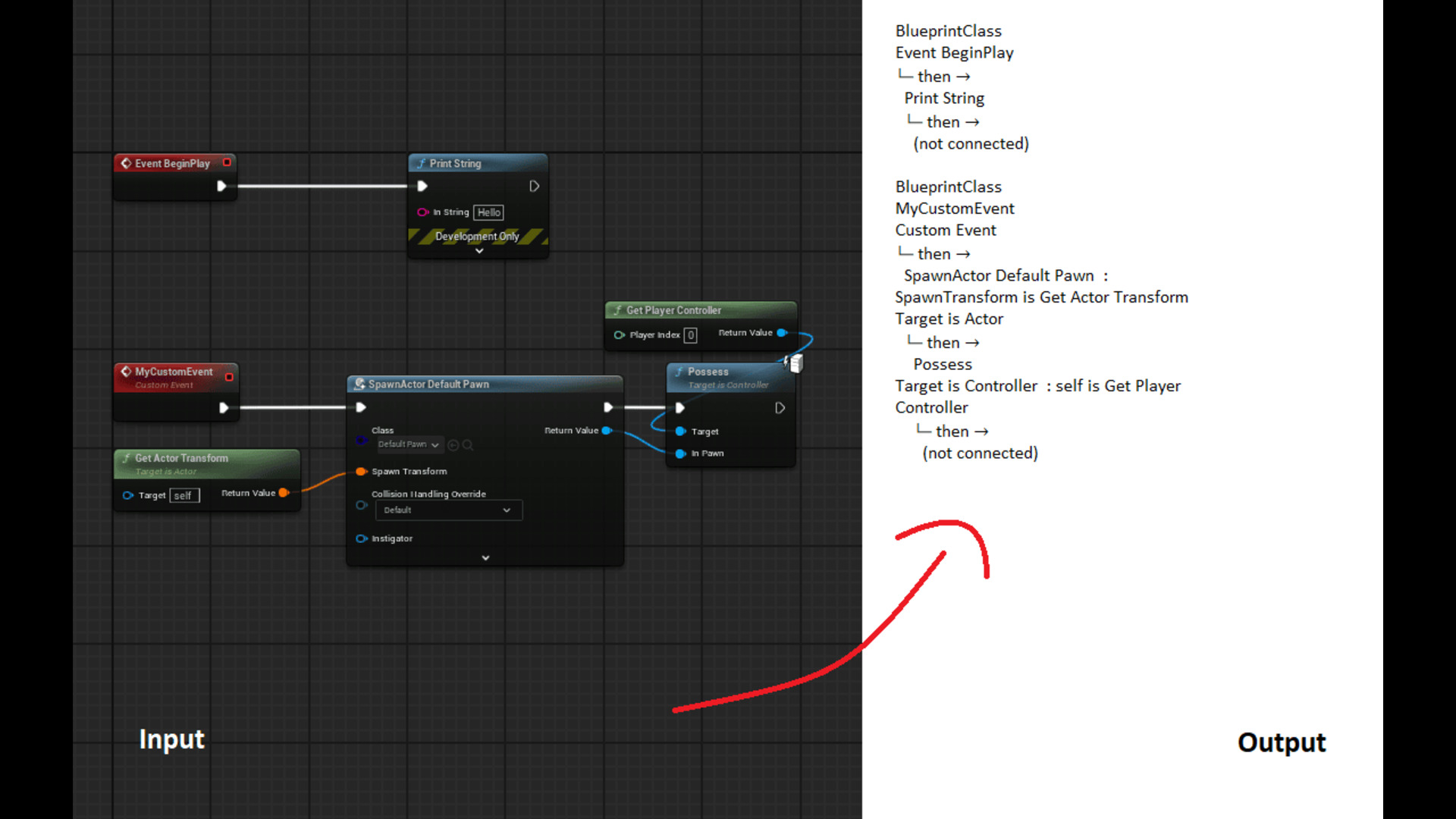
Converts Blueprint logic into an easy-to-read tree format:
Event BeginPlay
└─ then →
Print String ()
🧠 Includes Pure Input Info
Automatically shows connected pure nodes (like Get Player Controller) as inline readable parameters.
📁 Text + JSON Output
Saves both human-friendly .txt and structured .json formats to your Saved/BlueprintExports folder.
🎯 Supports Branches, Sequences, and Function Calls
Smart traversal through execution pins-handles multiple paths, nested logic, and avoids pure clutter.
⚡ One-Click Export
Easily export via right-click in the Content Browser. Fast and lightweight with zero Blueprint changes.
🛠️ Use Cases:
Blueprint documentation for teams
Visualizing logic flow without screenshots
Analyzing and comparing script logic in source control
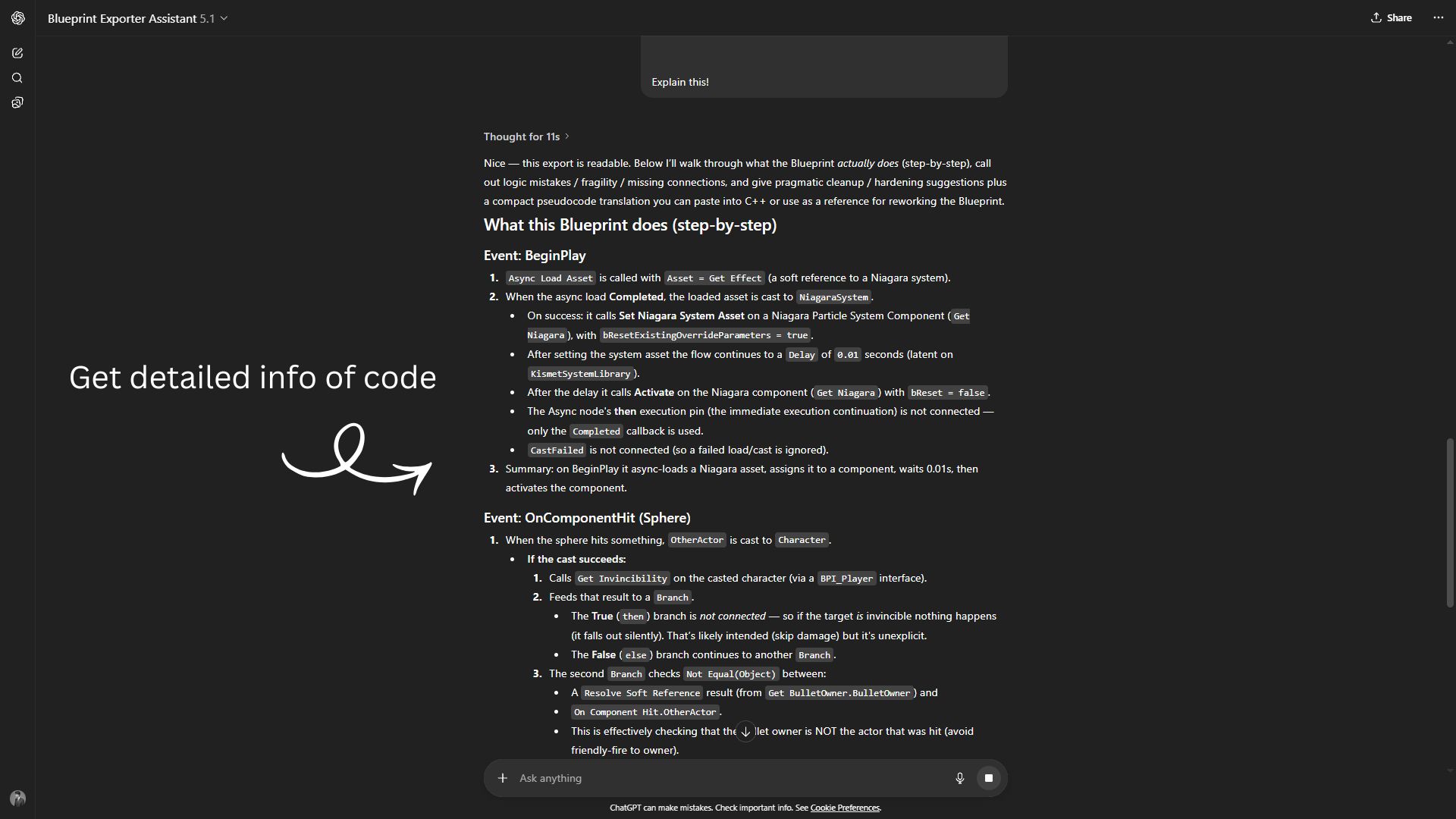
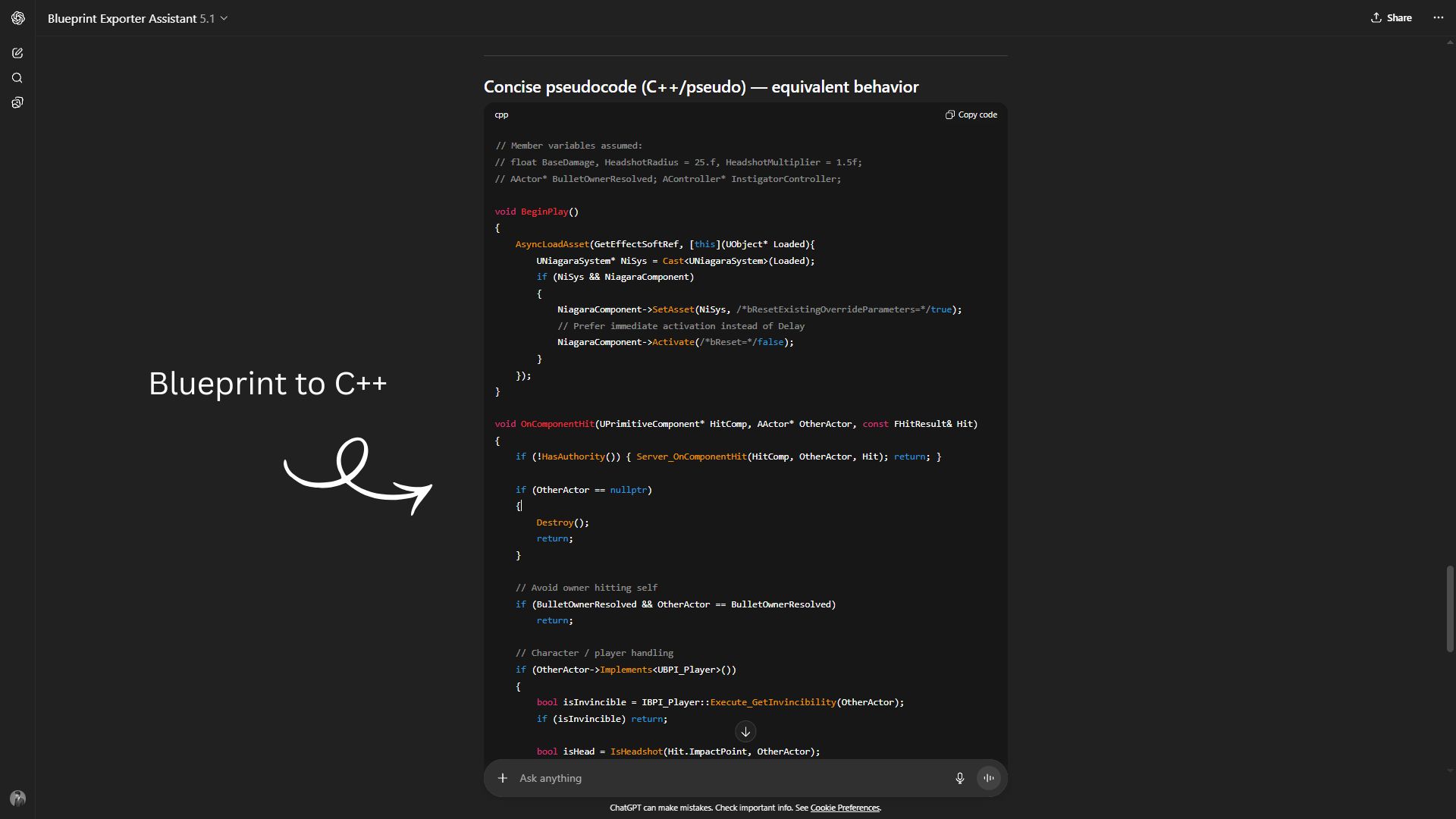
Generating input for diagramming tools or AI assistants
✅ Compatibility:
Tested with Unreal Engine 5.4 and newer versions.
Works with all Blueprint classes (Actors, Components, Widgets, etc.)
Technical details
Features:
Readable Execution Flow Export
Converts Blueprint logic into a clean, indented text format showing execution paths.
Pure Input Node Summarization
Inline summaries of pure node connections (e.g., “Target is Get Player Controller”).
Text + JSON Output
Exports both .txt (human-readable) and .json (machine-readable) formats to Saved/BlueprintExports.
Code Modules:
BlueprintExporter – Editor
Main plugin module handling context menu integration and export logic.
BlueprintExporterTool – Editor
Contains the node traversal and serialization logic used to convert Blueprints into readable formats.
Number of Blueprints: 0 (This plugin is entirely written in C++)
Number of C++ Classes: 3 (Includes module, exporter logic, and node traversal logic classes)
Network Replicated: No
Supported Development Platforms: Windows, Mac
Supported Target Build Platforms: Windows, Mac
(This plugin runs only in the Editor and does not affect packaged builds.)
You can contact us at any time and request that the asset you want be added to the site from the Request Asset section.