
 Description
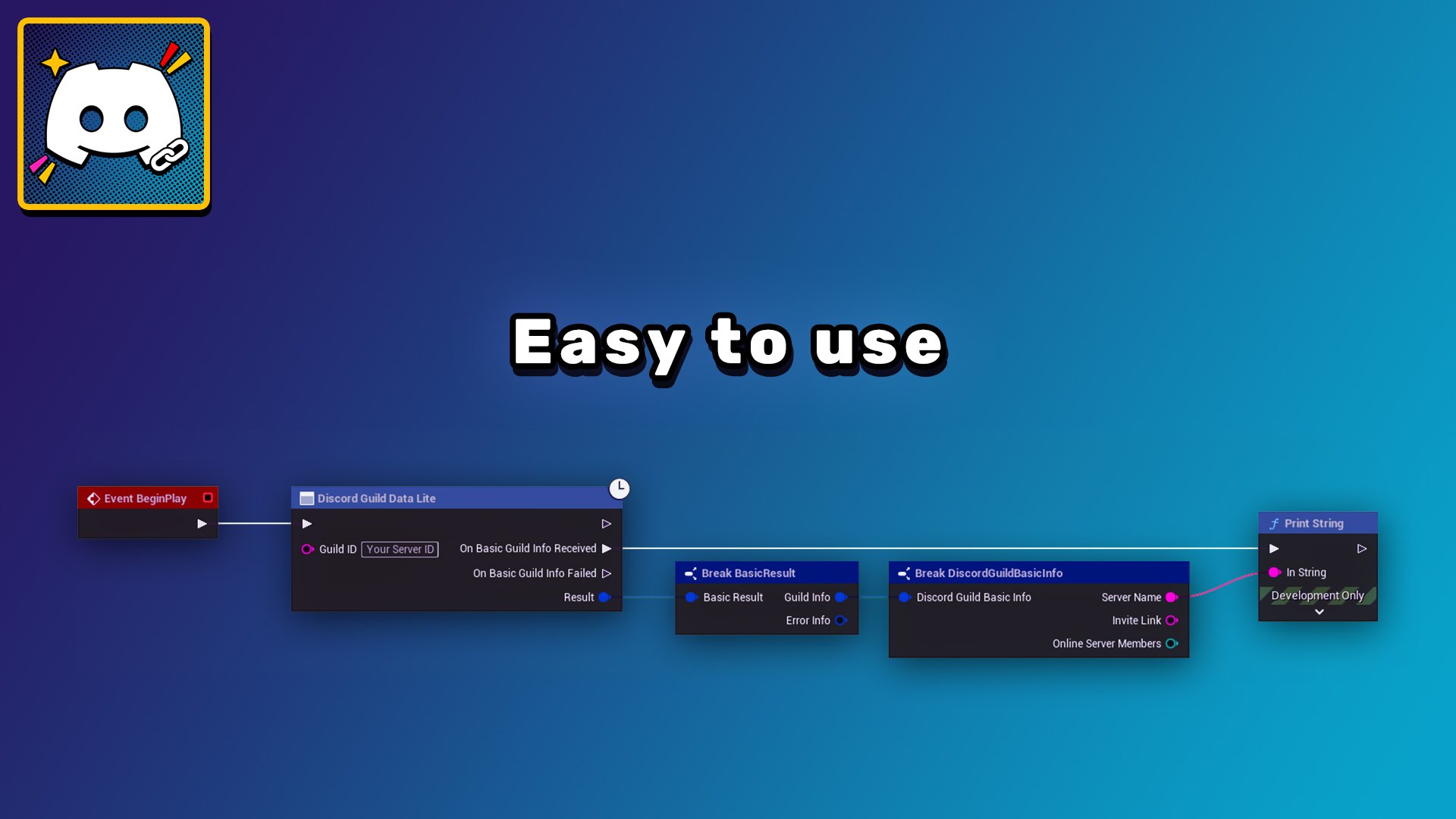
This plugin seamlessly integrates your Discord server with your Unreal Engine project. It allows you to display Discord total and online member counts, server name, server icon, and generate server invite links directly within Unreal Engine.
Technical Details
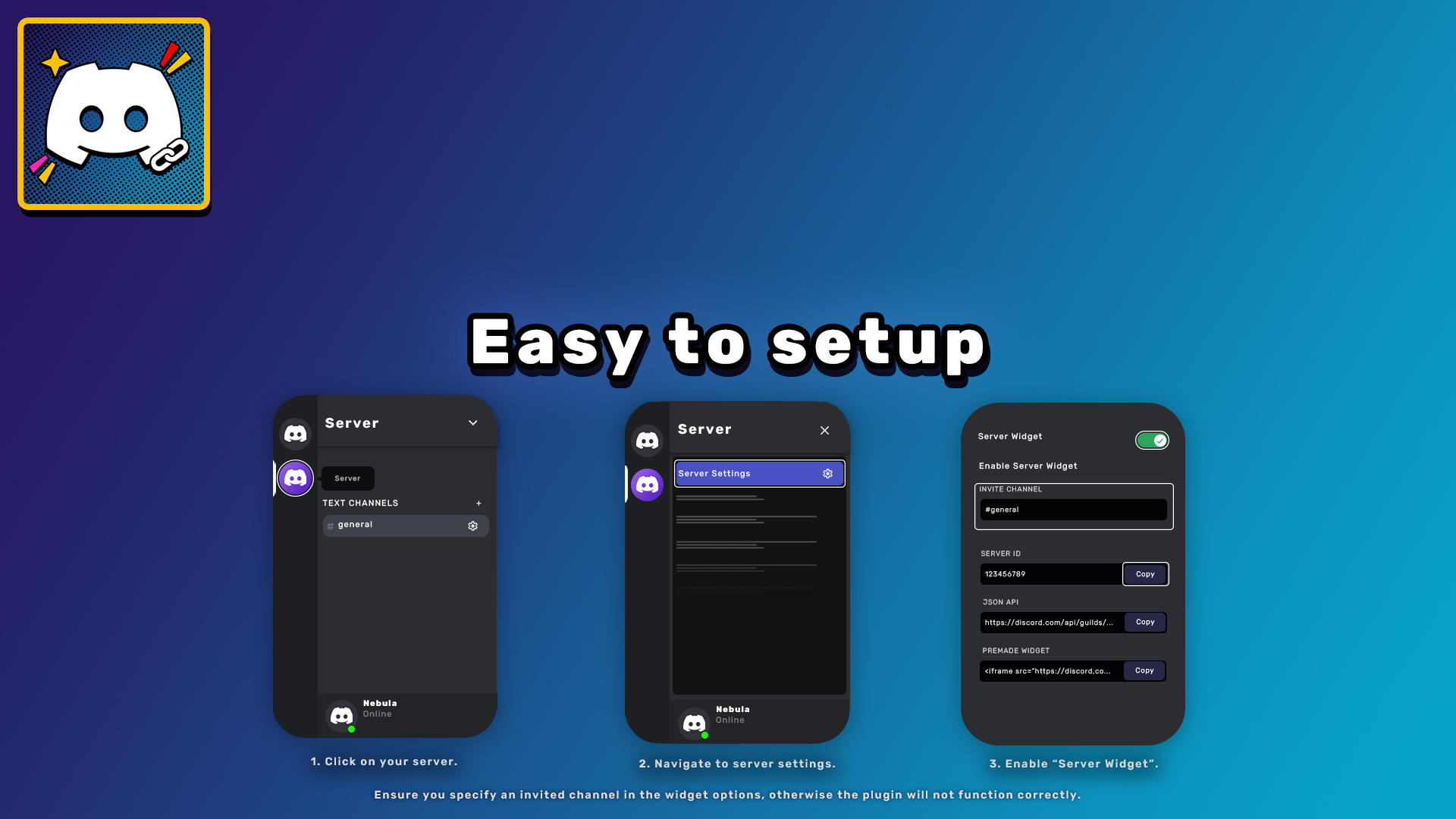
Ensure you specify an invited channel in the widget options, otherwise the plugin will not function correctly.
Documentation Link: Documentation
Demo Video Link: Demo Video
Features:
- Dynamically retrieve Discord server information, including total and online member counts, server name, server icon, and invite links.
- Provides Blueprint functionality for easy integration into Unreal Engine projects.
- Caches guild data to optimize performance and reduce unnecessary API calls.
Code Modules:
- DiscordGuildLink (Runtime)
Number of Blueprints: 2
Number of C++ Classes: 2
Network Replicated: No
Supported Development Platforms:
- Windows
- Mac
Supported Target Build Platforms:
- Windows
- Mac
- Linux
- Android
- iOS
Important/Additional Notes:
- You can find an example widget in the plugin folder “example,” which includes a demo widget for quick setup.
- This widget can be found in: Plugins > Discord Guild Link Content > Example > WBP_Demo.
- Click on the WBP_DemoWidget element on the Hierarchy tab. In the details panel, navigate to the Discord Guild Link section and input your server ID into the guild ID field.
Ensure you specify an invite channel in the widget options, otherwise the plugin will not function correctly.
You can contact us at any time and request that the asset you want be added to the site from the Request Asset section.