Description
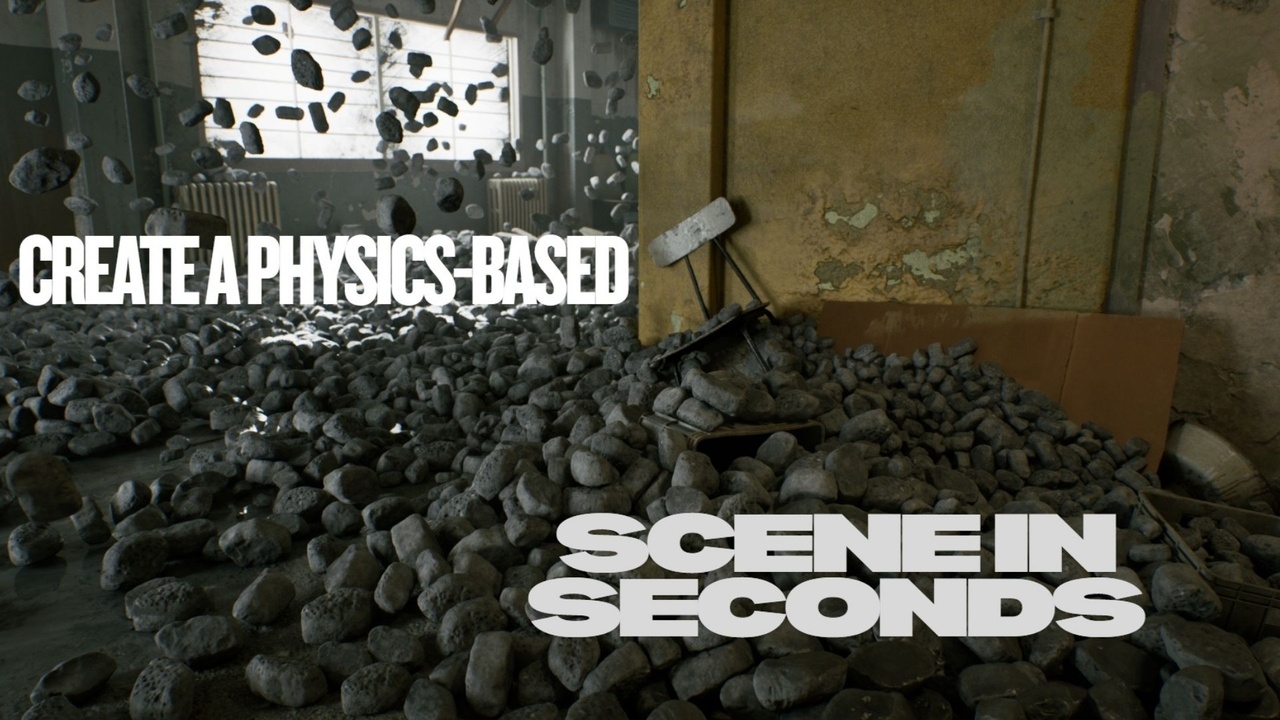
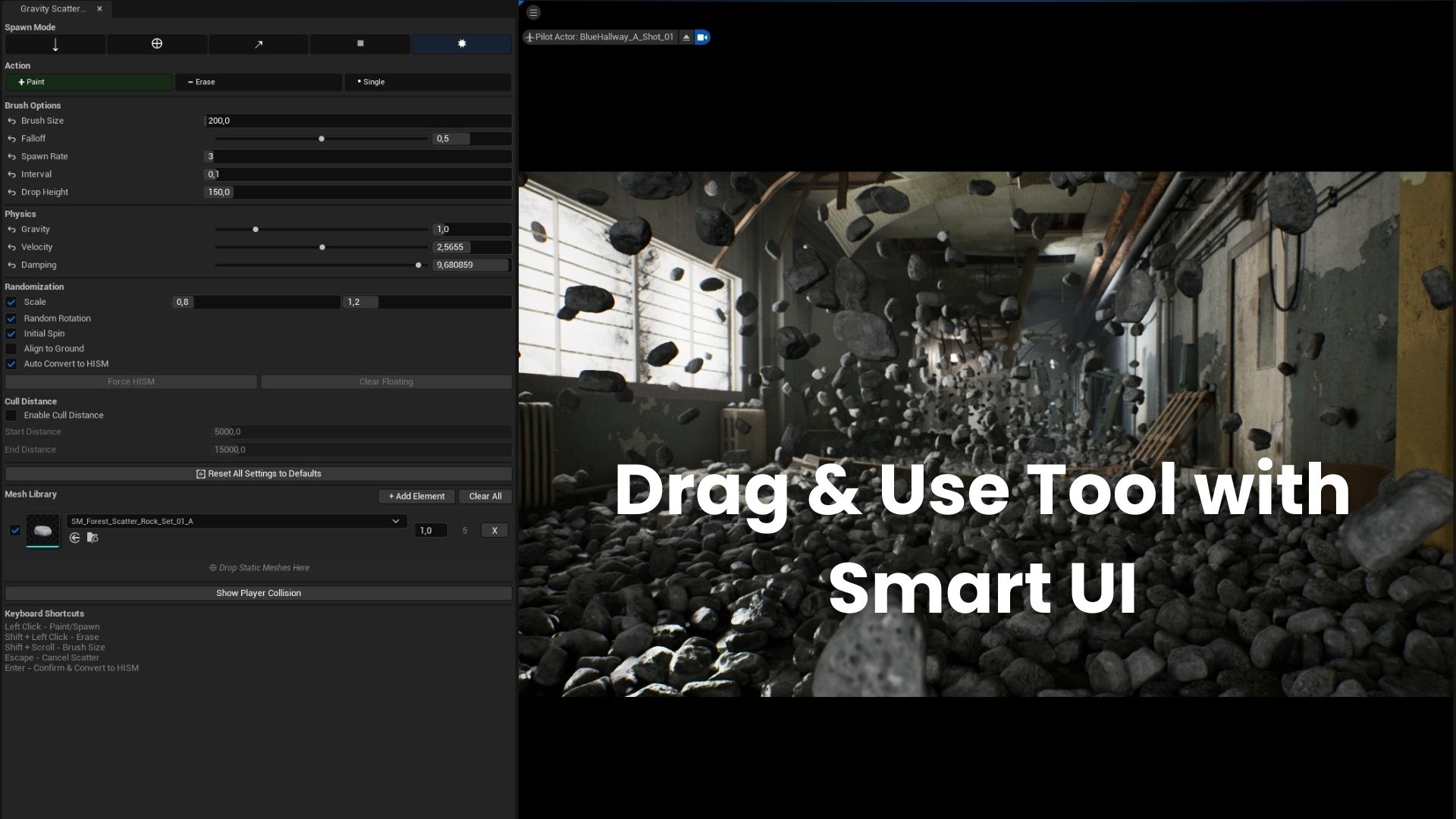
Gravity Scatter Tool is a powerful physics-based scatter plugin for Unreal Engine 5. Unlike traditional scatter tools that simply place objects, this tool uses real-time Chaos physics simulation to drop, spray, shoot, rain, or explode objects onto your scene. Objects bounce, roll, and settle naturally before being converted to optimized Hierarchical Instanced Static Meshes (HISM) for maximum performance.
Key Features
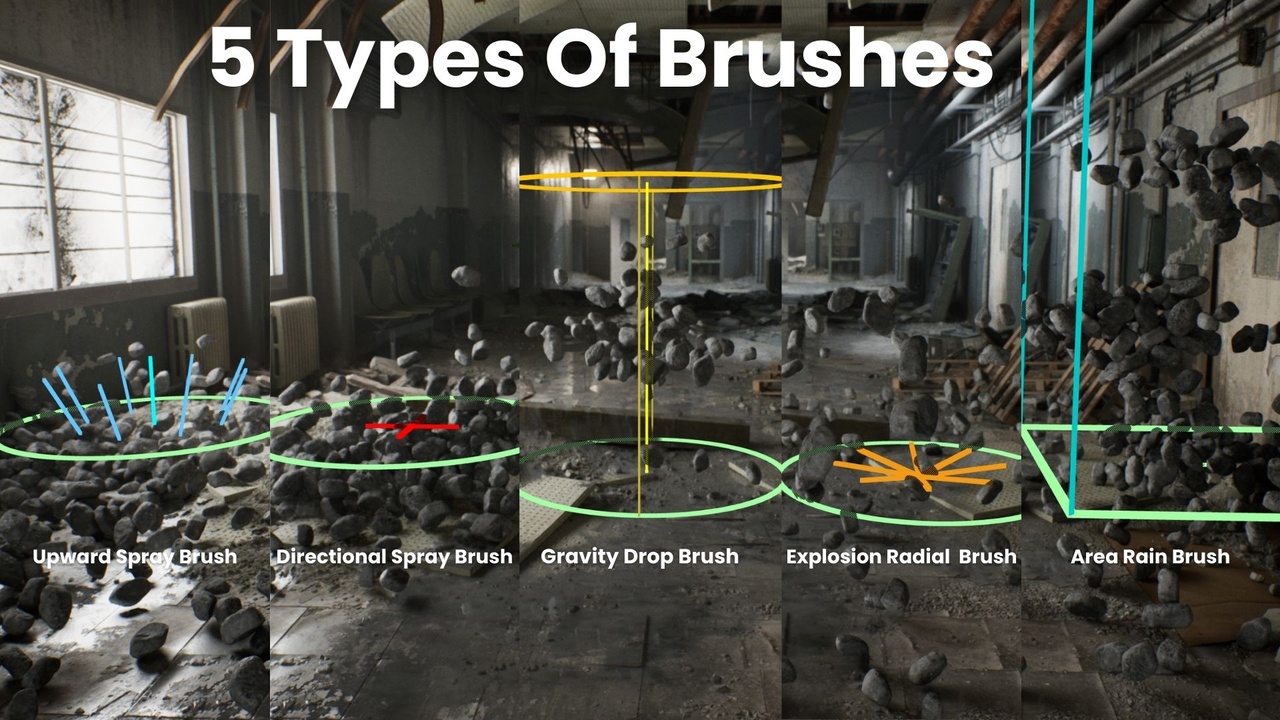
5 Unique Spawn Modes
– Drop Mode – Drop objects from a configurable height and watch them fall with gravity
– Gun Mode – Shoot objects like projectiles toward your target point
– Spray Mode – Spray objects upward from the surface with adjustable force
– Rain Mode – Rain objects over large rectangular areas (up to 65,000 units)
– Explosion Mode – Spawn objects with radial explosion force
Real-Time Physics
– Uses Unreal Engine 5’s Chaos physics system
– Adjustable gravity, velocity, and damping
– Objects settle naturally on any surface
– Automatic rest detection stops simulation when objects stop moving
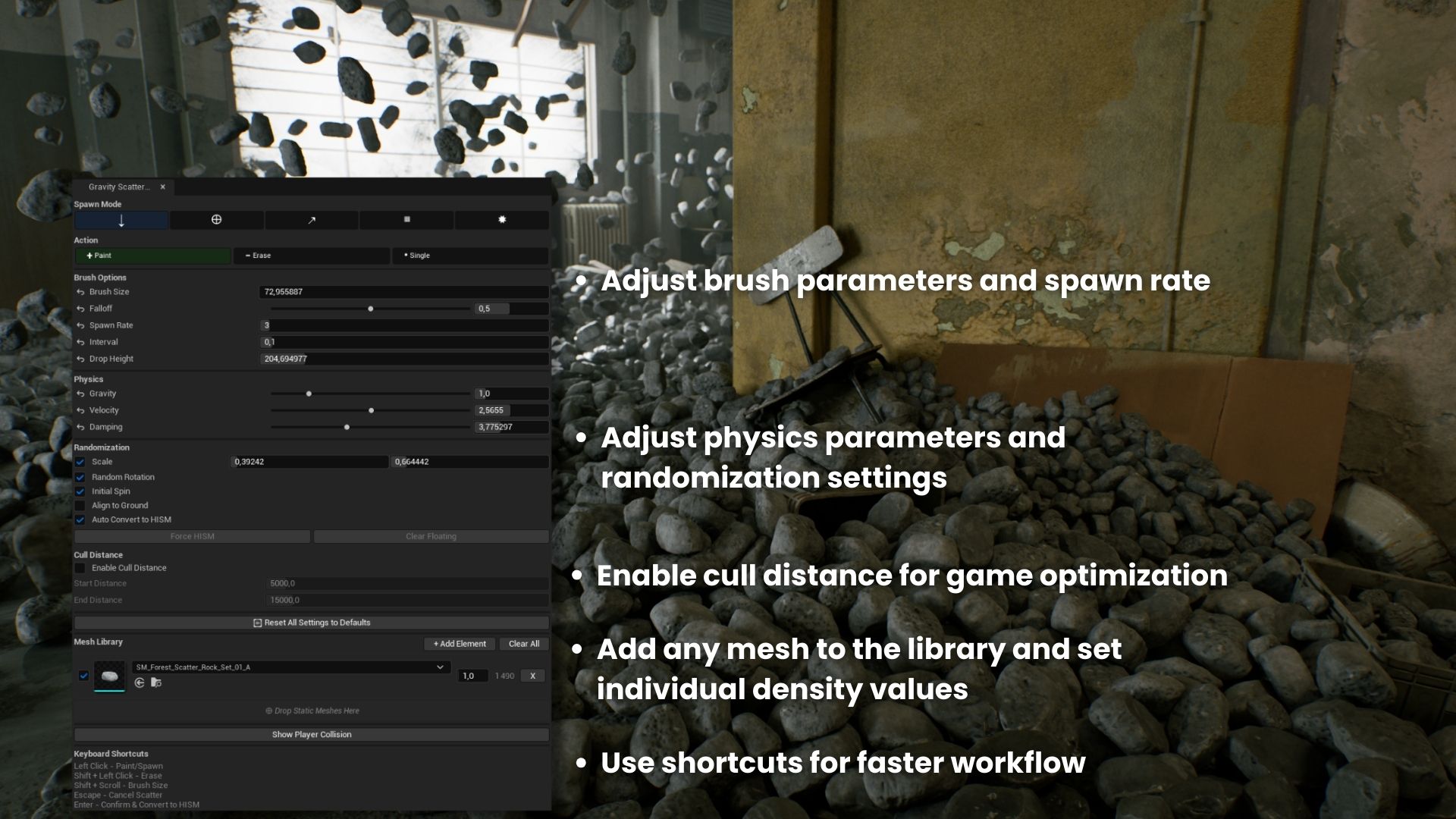
Intuitive Brush System
– Visual brush preview with mode-specific visualization
– Adjustable brush size with Shift+Scroll
– Falloff control for natural density distribution
– Adaptive brush visibility at any distance
Mesh Library
– Drag & drop meshes directly from Content Browser
– Per-mesh spawn weight for probability control
– Enable/disable individual meshes on the fly
– Random scale and rotation per mesh type
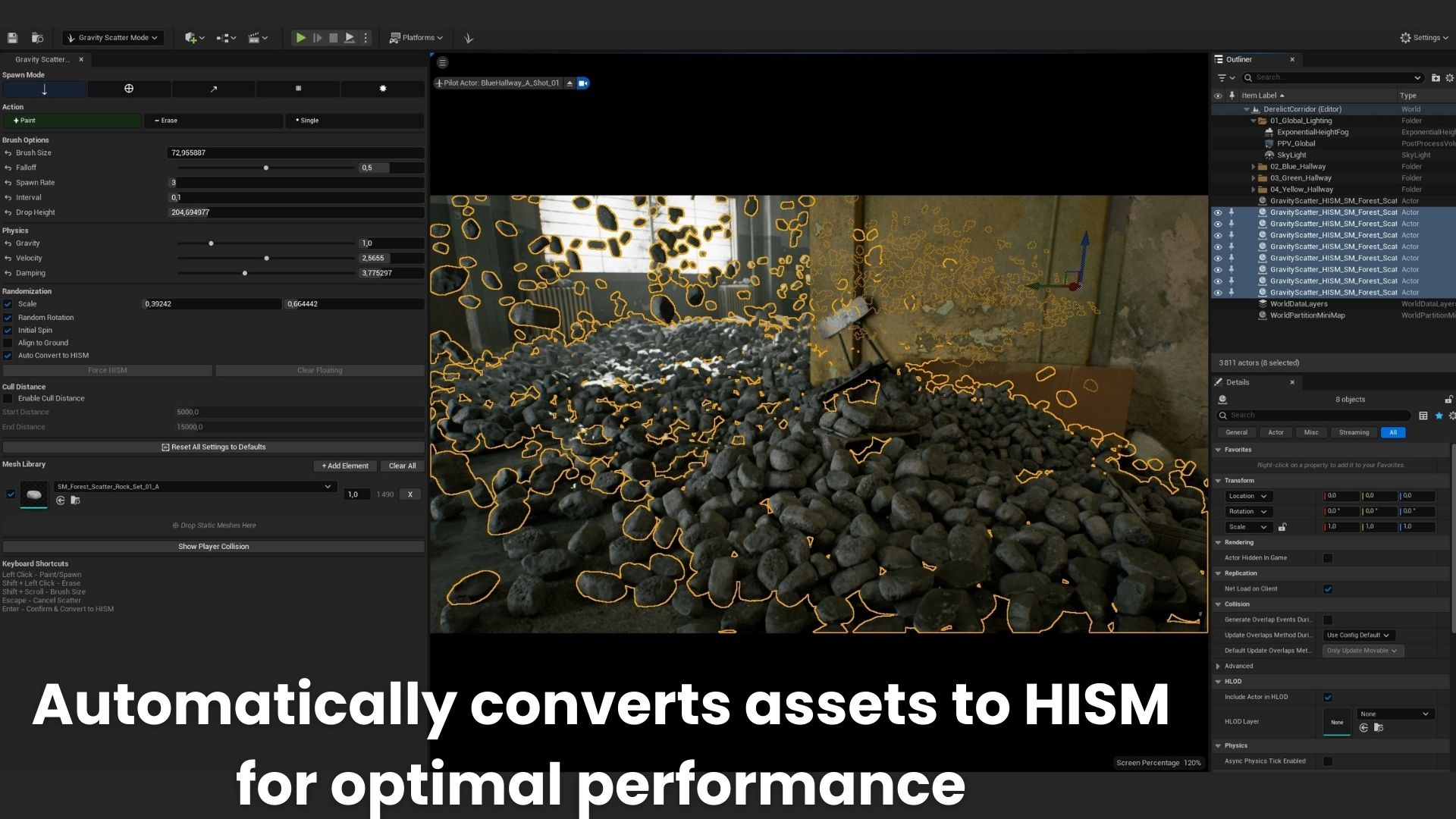
Performance Optimized
– Automatic conversion to HISM on confirmation
– Groups instances by mesh type
– Configurable Cull Distance for LOD optimization
– Minimal draw calls for thousands of instances
Cull Distance
– Enable/disable distance-based culling
– Start Cull Distance – instances begin to fade out
– End Cull Distance – instances fully disappear
– Essential for large-scale scattering performance
Professional UI
– Clean, modern interface matching Unreal’s native tools
– Compact icon-based mode selection
– Per-parameter reset buttons
– Full tooltip documentation on every control
Keyboard Shortcuts
– Left Click – Paint/Spawn objects
– Shift + Left Click – Erase objects in brush radius
– Shift + Scroll – Adjust brush size
– Enter – Confirm and convert to HISM
– Escape – Cancel and remove scattered objects
Use Cases
– Scatter fallen leaves, debris, and clutter
– Place rocks and pebbles naturally on terrain
– Create realistic prop distributions
– Explosion debris and destruction effects
– Any scenario requiring organic object placement
Supported Versions: UE 5.3, 5.4, 5.5, 5.6, 5.7
Technical details
Features:
– 5 spawn modes: Drop, Spray, Gun, Rain, Explosion
– Auto-convert to HISM for performance
– Real-time physics with customizable settings
– Mesh Library with per-mesh controls
– Configurable cull distances
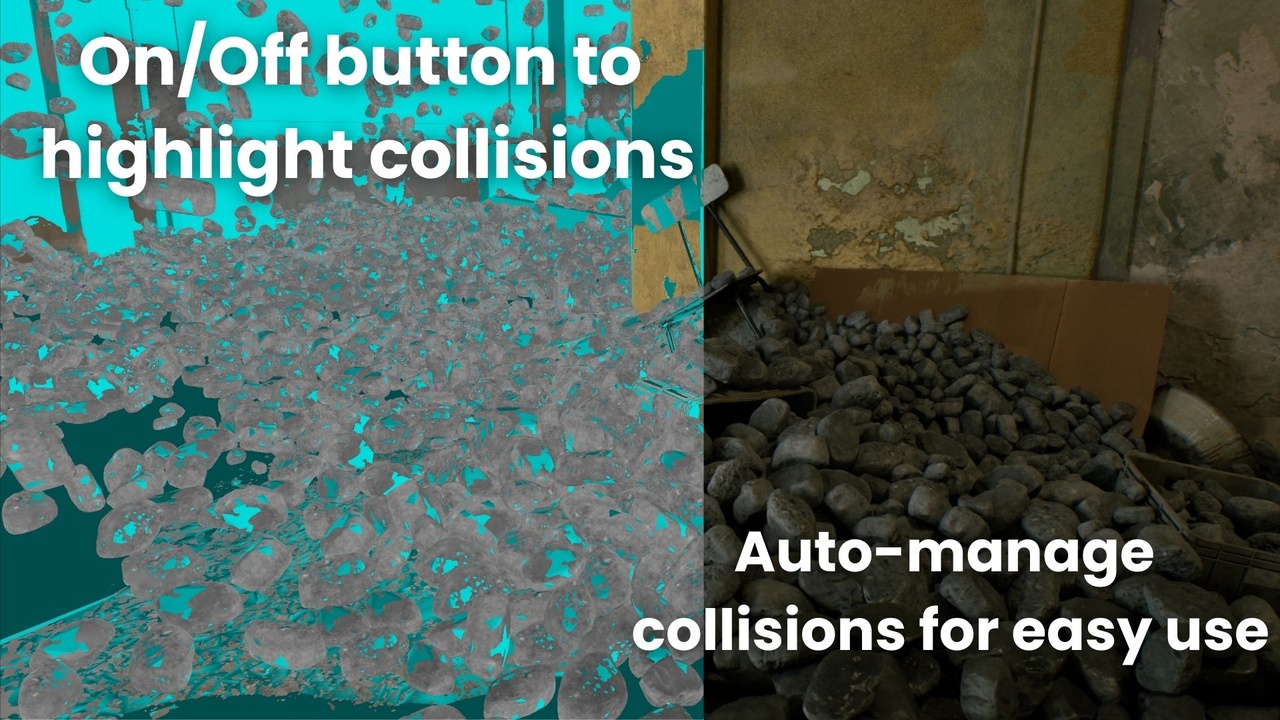
– Player Collision visualization
Code Modules:
– GravityScatterTool (Editor)
Number of Blueprints: 0
Number of C++ Classes: 6
Network Replicated: No
Supported Development Platforms:
Windows: Yes
Mac: Yes
Supported Target Build Platforms: Win64, Mac, Linux
Documentation: Included in Documentation
Example Project: N/A
Important Notes:
– Source-only plugin, no precompiled binaries
– Editor-only, does not affect packaged builds
– Compatible with UE 5.3 – 5.7
You can contact us at any time and request that the asset you want be added to the site from the Request Asset section.