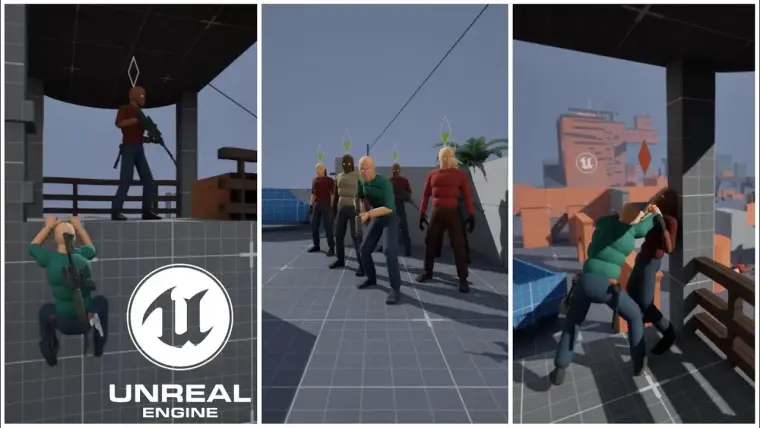
A large-scale project designed for Unreal Engine 5.6+ that includes mechanics commonly used in adventure games.
- The project is based on C++ (six C++ plugins), but modifying the source code is not required — changes can be made entirely through Blueprints.
- Not all animations are included in the project (list), but they are not required for the project to function.
- The project is compatible only with Windows systems. Packaged only on Win 11.
- The entire system is NOT replicated.
- All animations (~ 2.5k files) rigged to UE4 Mannequin, but project include real-time retargeting to UE5 Manny (compatible with Metahuman skeleton structure)
- Size to download ~2.5GB zipped
Full Project Demonstration Wideo (AGLS v1.4 version)
Packaged Project DEMO for Windows
Patch Notes from 1.2 to 1.7 (Patreon Posts)
Informations about animations:
Not all animations are included in the project.
Animations such as Stealth Finishers or some other finishers come from the UE Marketplace. You don’t need to own these animation packs to open the project in the editor. The main consequence of missing animations will simply be poorly looking sequences like attack or some interactions.
⚠️ Note: There have been significant changes regarding animations not included in the project. As of version v1.8, animations from the “Brutal Finishers – Hand and Knife” pack are no longer as essential, and MeleeCombat now uses only 6 animation assets during game from this pack. Despite this, the project still contains additional assets for these animation sequences, as they are planned to be used in future versions. For “Stealth Finishers – Knife and Hand” and “Ultimate Traversal Anims“, the situation remains largely the same as in previous versions of the project.
Here’s a list of animation packs not included in the project (not all sequences from the packs are used in the project):
- “Stealth Finishers – knife and hand” by RamsterZ
- “Brutal Finishers – Hand and Knife” by RamsterZ
- “Ultimate Traversal Anims” by RamsterZ
A full list of not included animations sequences used in the project
If you have the necessary additional components, the implementation into AGLS is very simple. You just need to export the required animation sequences to .FBX files. Then, assign the appropriate file names and reimport them into AGLS.
✅ Without these animations, the project will run normally.
🔷Main changes and information regarding version 1.8:
In this version of the project, the changes related directly to runtime and gameplay may not be the most significant. However, I also wanted to expand my understanding of how the engine works internally. As a result, a substantial amount of C++ code has been added, along with experiments aimed at extending the engine itself.
🔹For version v1.8, an additional C++ plugin called CombatCore has been developed.
The CombatCore Plugin includes two modules: Runtime and Editor. It implements several key classes required for and related to combat systems in games. Additionally, the plugin extends and enhances the GameplayTask system, turning it into a more practical and production-ready mechanism.

The project now includes a new asset category in the Animation tab called CombatAnimSetup 🗡️. This new asset is a standard DataAsset, but with an implemented interface that allows for better data preview and configuration. CombatAnimSetup extracts certain data from animations so that the MeleeCombatComponent can more easily determine which animation should be used. This includes, among other things:
- Maximum attack range
- Position related to Root Motion
- Attack trajectory
Additionally, you can define settings related to Motion Warping (used by MeleeCombat), as well as a constant Bias value, which is added when evaluating animation weights during database search.


Another additional change that may expand the editor’s functionality is the extension of the GameplayTask system. GameplayTask is a core element for the proper functioning of the GameplayAbilitySystem (GAS). It is also the foundation for the AbilityComponent and the creation of classes such as BlueprintAbilityComponent. The new GameplayTaskBlueprint class is a simplified version of the GAS module. It can be useful in cases where you want to create task instances without requiring full GAS integration.

GameplayTaskBlueprint also makes it easier to handle communication between a task instance and external code, compared to the classic AbilityTask, which by default doesn’t even provide a TickEvent.


I’d also like to mention that the IWALS_AbilitySystem plugin further extends one of the engine’s key modules — the GameplayAbilitySystem. In my opinion, the base structure of this system has several limitations, one of the main ones being restricted access to TickEvent and external communication. That’s why some time ago I decided to expand the capabilities of this system to make it more flexible and practical to use.

📄 Now I will go over the most important changes introduced in version v1.8, which already have a direct impact on gameplay:
- Updated Looting System – I slightly modified the default item pickup method by improving animations and adding a Control Rig that occasionally corrects positioning. I believe the result looks better than the previous implementation.

- Completely rebuilt Melee Combat system
At the beginning, I want to point out that my approach to such an important gameplay aspect as combat may not be the best one. In a system like this, immersion and overall combat feel rely heavily on multi-stage, precise animations—ideally created by professional motion capture actors and recorded at 60 FPS. Other important elements include camera work, sound effects, particle effects, etc. These are not my primary focus, and I didn’t spend much time on them, as that would significantly increase development time.
For the animations used in the new Melee Combat, this is the first time I attempted to use motion capture generated from video footage. Unfortunately, I am not a professional actor, so some animations may feel stiff. Additionally, I focused more on certain animations, while others were created quickly. I also expect that the new Melee Combat system may contain some bugs at launch, and at this stage it is not fully complete.

Login is required to access this download
Login is required to access this download
You can contact us at any time and request that the asset you want be added to the site from the Request Asset section.
Adventure Game Locomotion System (AGLS) v1.5.0 UE 5.6
Adventure Game Locomotion System v1.4.2 UE 5.6