
 Description
🎥 PREVIEW VIDEO | 🎮 PLAYABLE DEMO | 💬 DISCORD
📚 CURRENT DOCUMENTATION (3.0+)
Some engine plugins are required for the pack to work properly, check out the documentation for more details.
📢Easy Game UI Ultimate 3.0 is available now!
Update 3.0 for Easy Game UI Ultimate is a massive, free update that brings improvements to every aspect of the pack with multiple goals: Making it easier to use, more performant, more modular and all that also with some cool new features!
Check out the Update Notes for a detailed deep-dive on everything new and updated!
⭐ Enjoying the pack? ⭐
If you are satisfied, please consider leaving a rating to support my work and help me develop high quality updates for the pack! Your support makes a huge difference!
🔎 ABOUT EASY GAME UI ULTIMATE
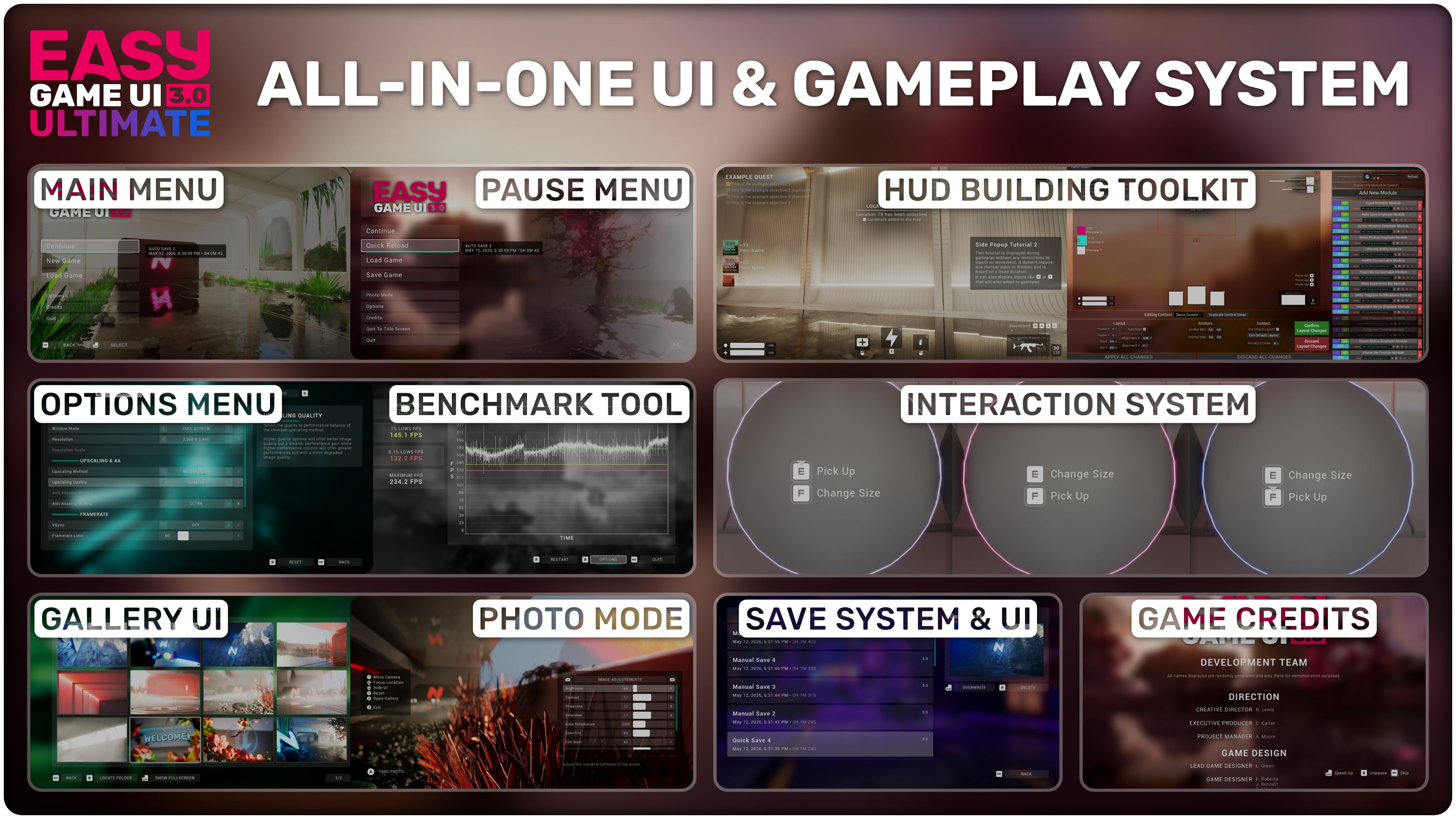
Easy Game UI Ultimate is a quick and simple way to add a complete UI & Gameplay Framework to your game with everything you need and more!
This includes a main menu, pause menu, an options menu, a save game system, a photo mode and more unique features such as a game benchmarking tool and a procedural game credits system! Alongside those systems, you also get an advanced HUD Building Tool and a feature-packed interaction system!
You can also easily build your own widgets with the provided systems and use the deep customization to fit your project!
🔽 What to expect out of the box 🔽
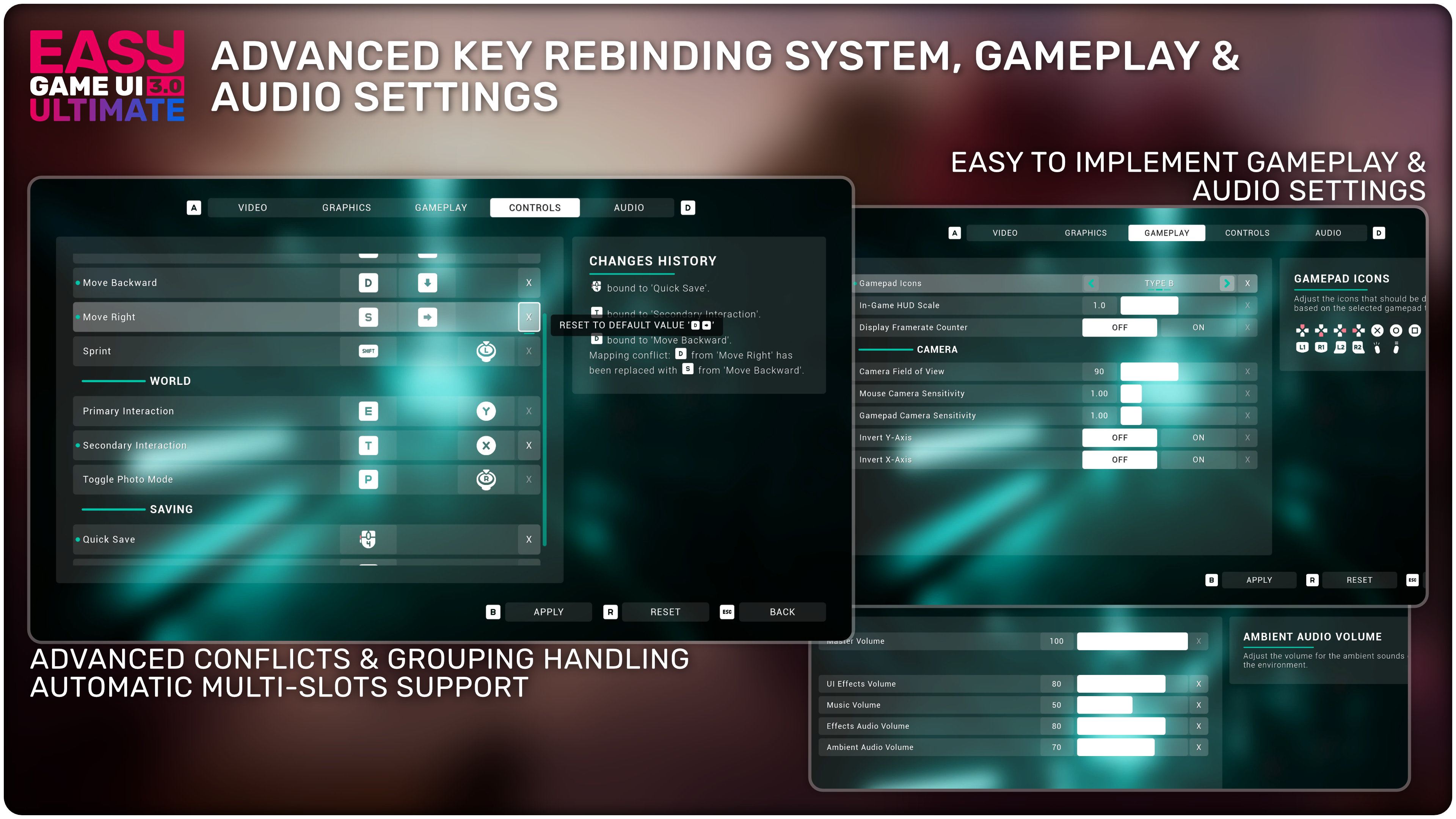
⚙️ Extensive and High Quality Options Menu
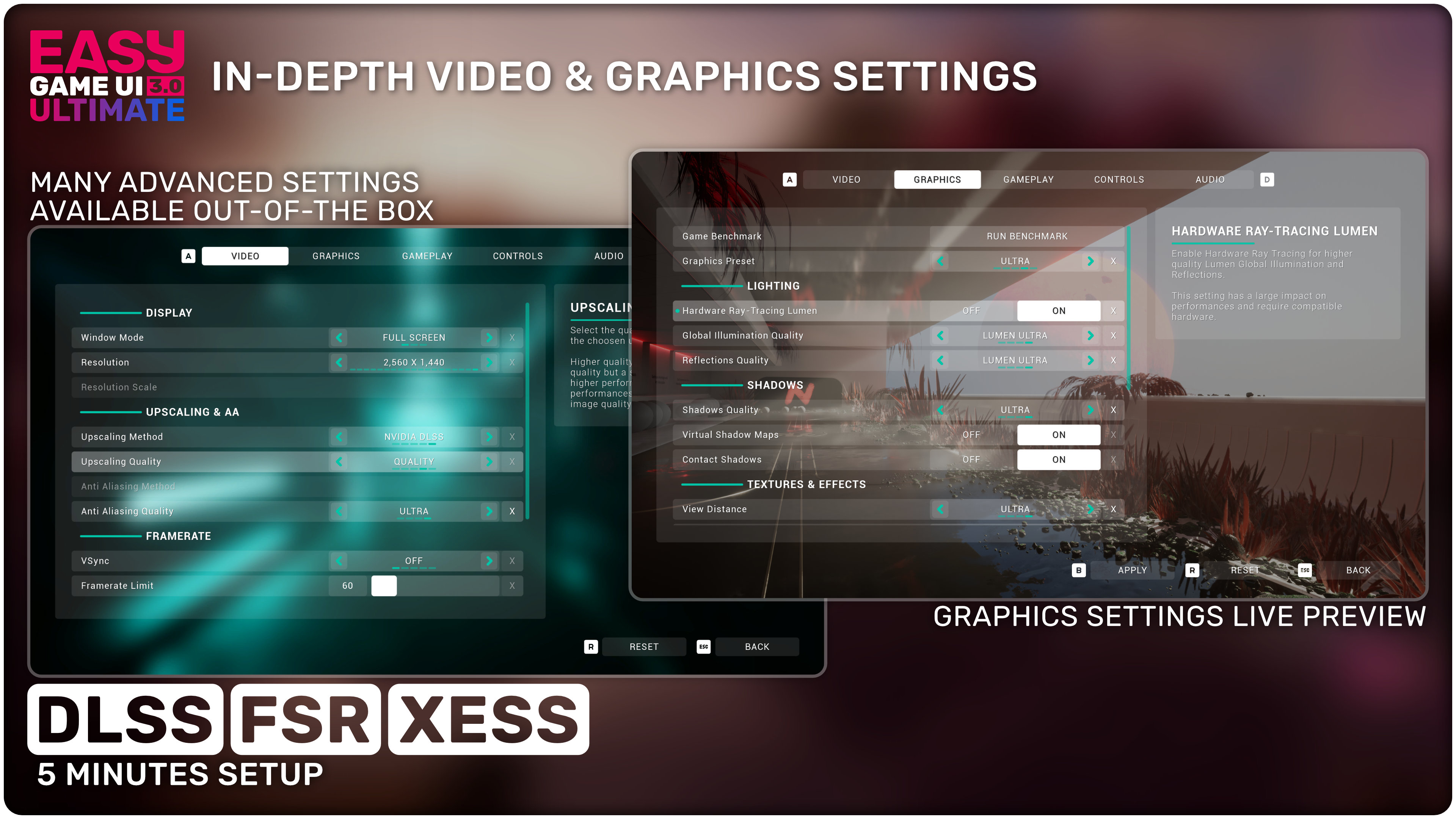
- In-depth video and graphics settings with many advanced options and support for DLSS, FSR, XeSS (with a 5 minutes install process)
- Extensive key rebinding system with support for both gamepad and mouse & keyboard
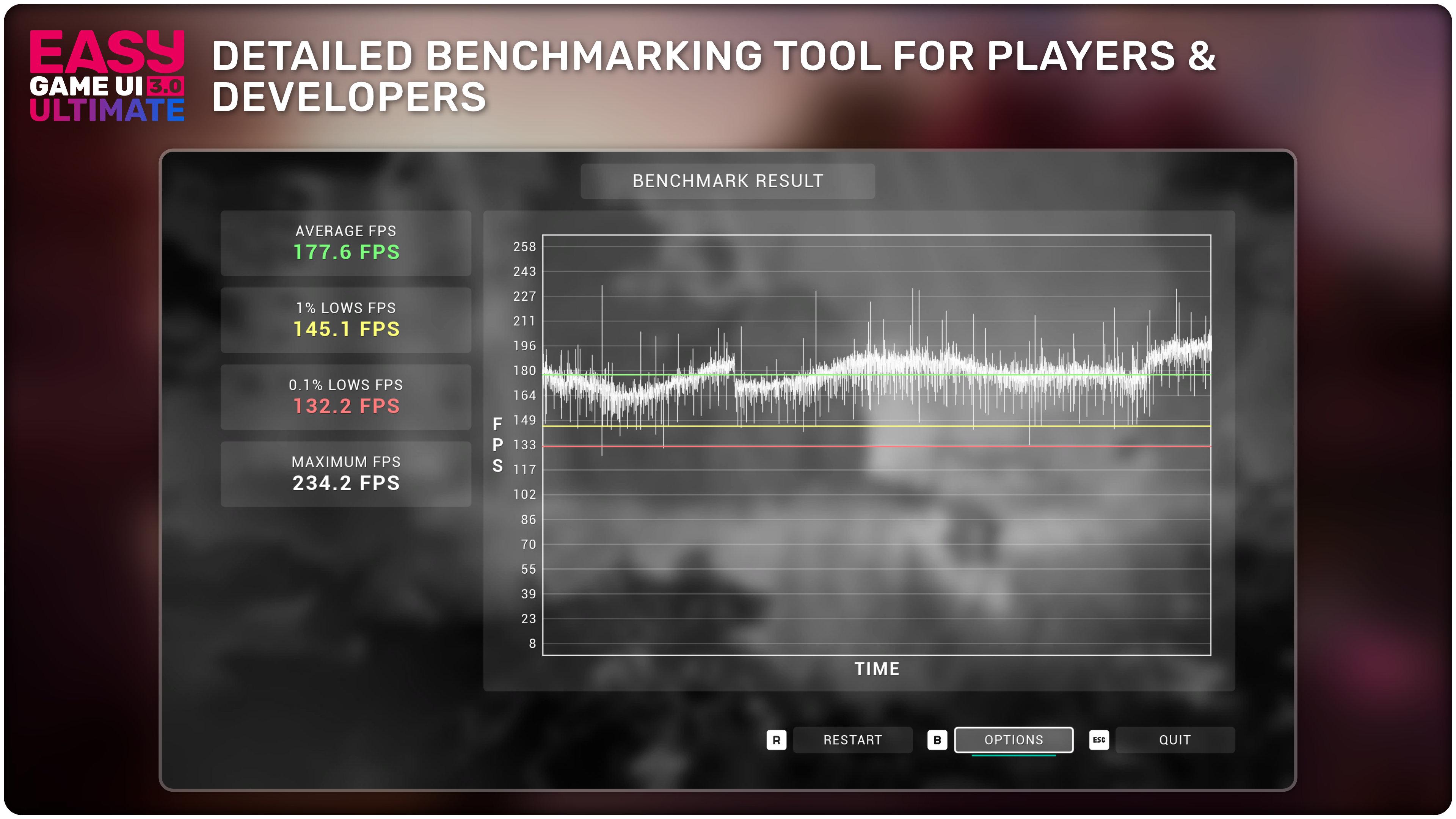
- Detailed Game Benchmarking tool for developpers and players
- Easily setup and save custom settings using the built-in JSON plugin and functions
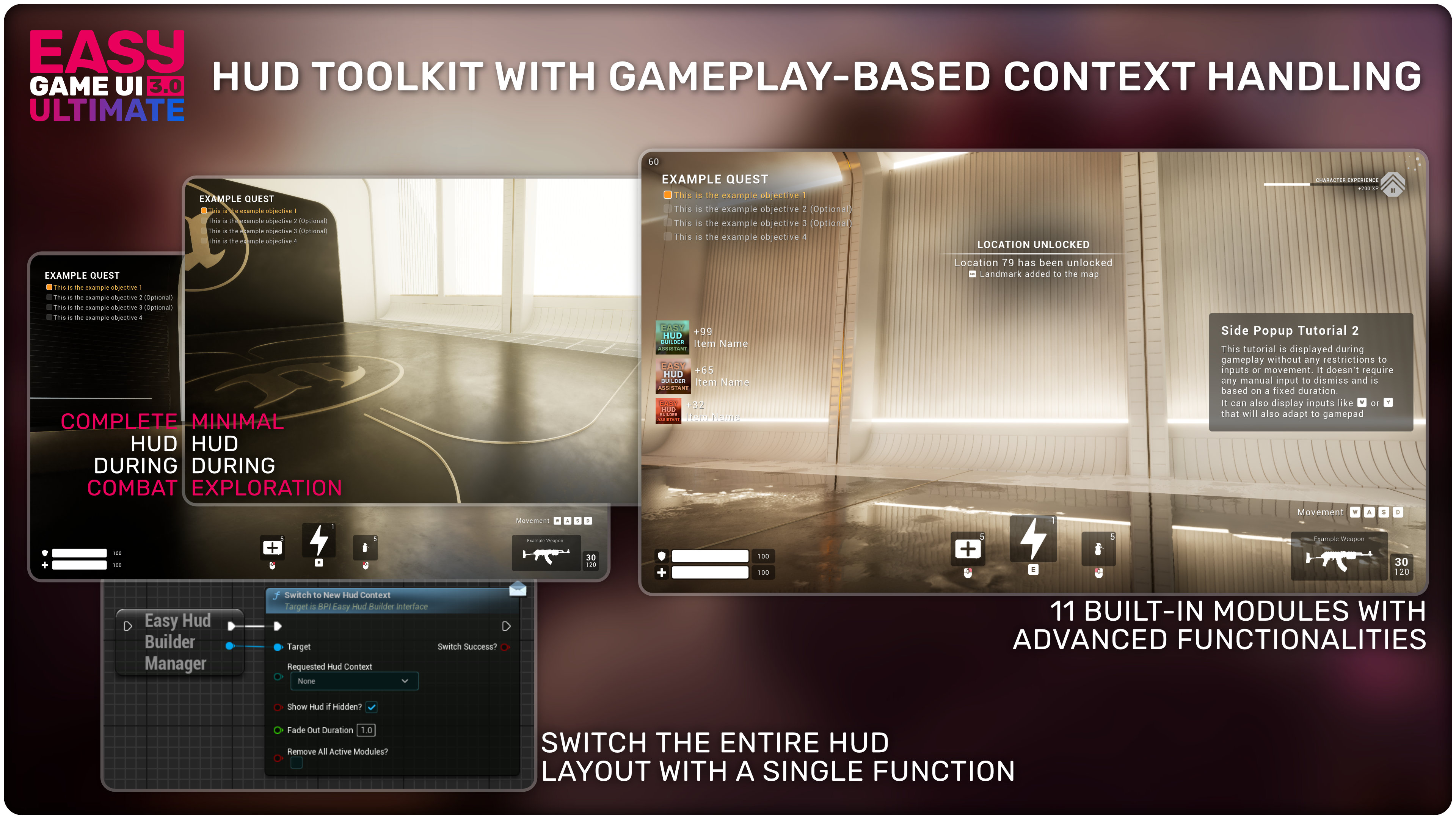
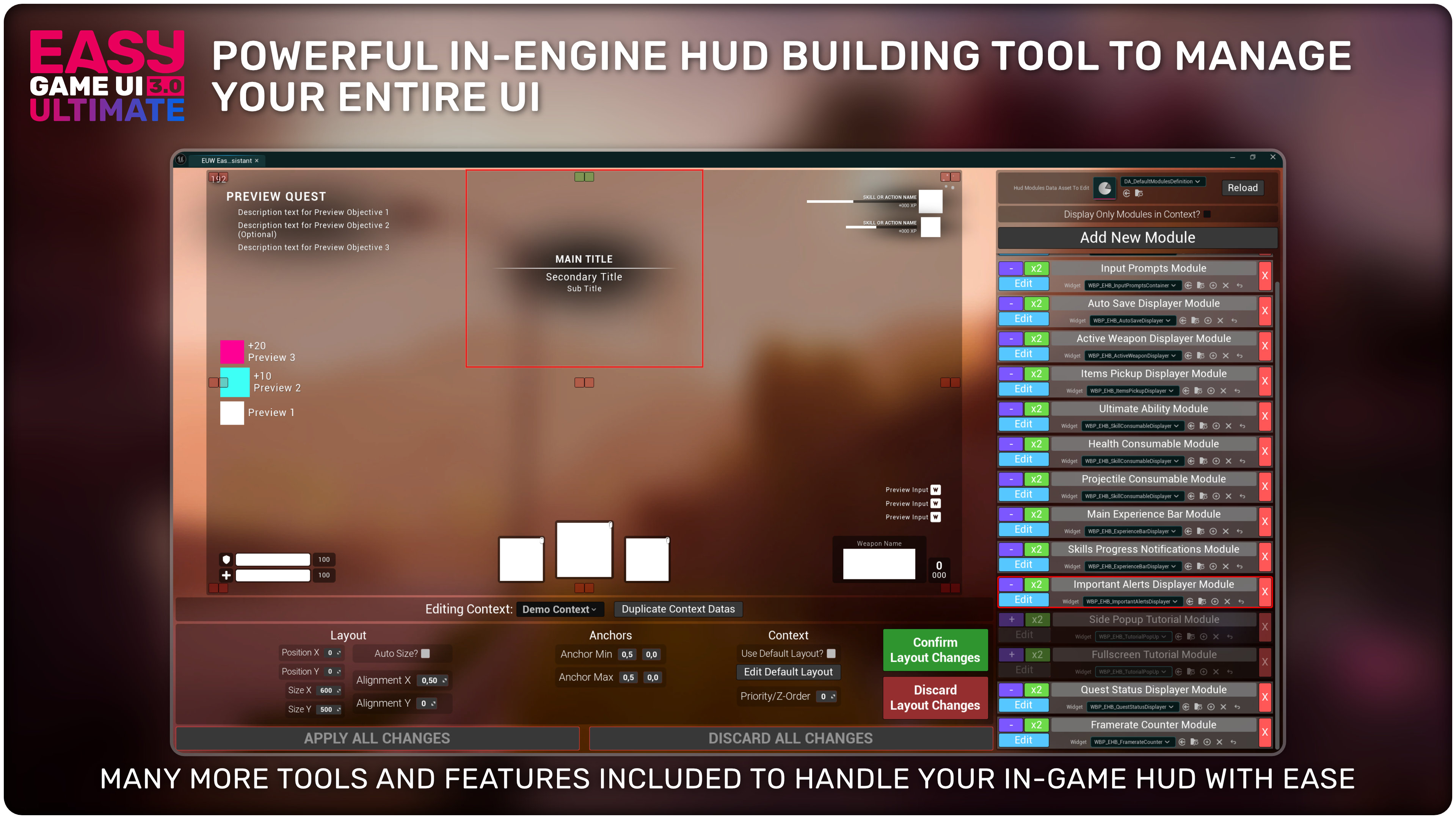
🔨 Powerful Hud Building Toolkit
- Effortless handling of complex HUDs with a sophisticated Contexts and Modules systems that can adapt to gameplay state
- Powerful in-engine tool to manage all your contexts and modules with ease
- 11 Advanced Built-In Modules to get started with a wide range of common HUD elements: Quests display, weapons, health, alerts, etc
💾 Advanced Save Game UI & Systems
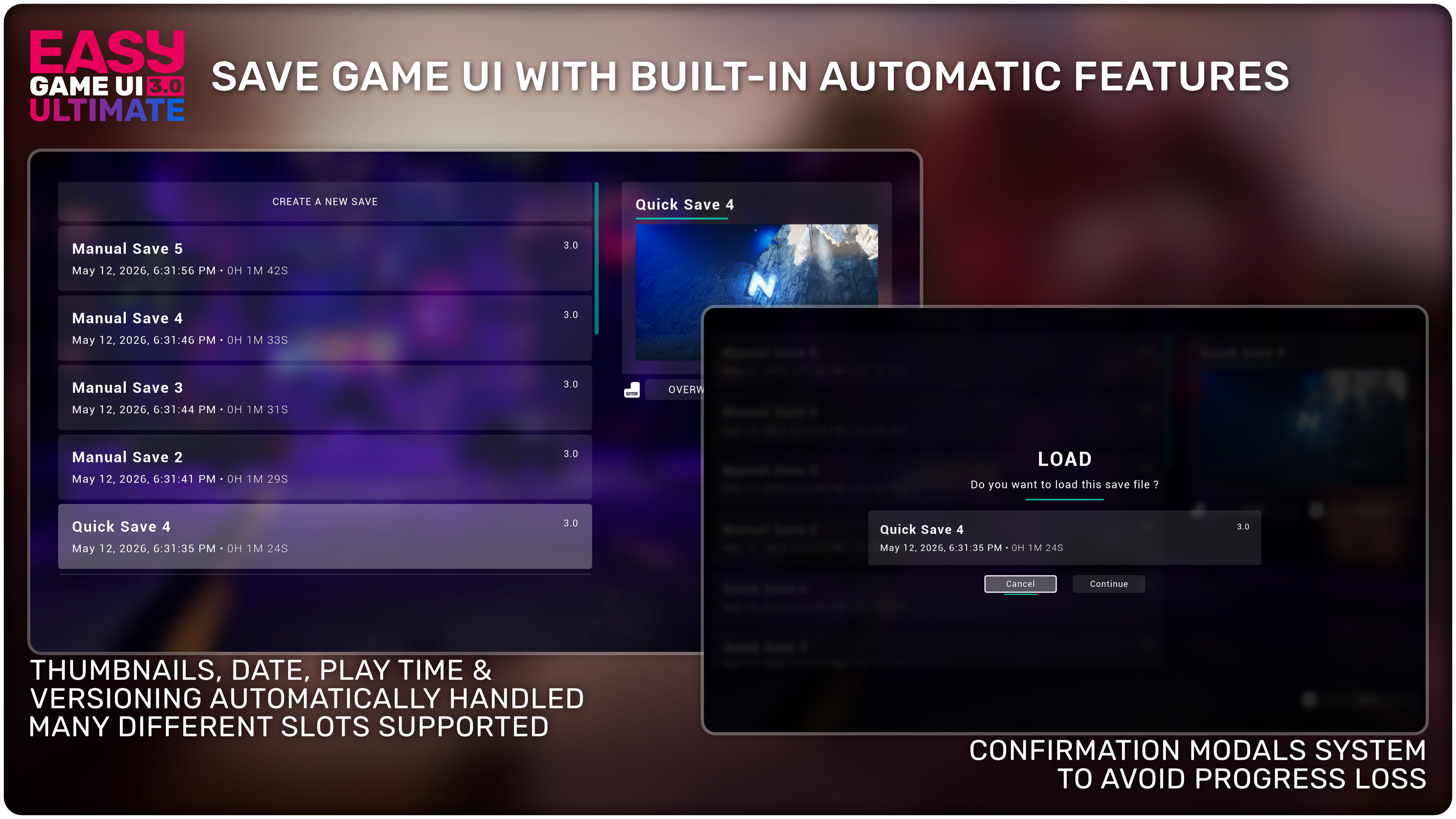
- Save Game UI with extensive and automatic features to display many save slots effortlessly in a clean interface
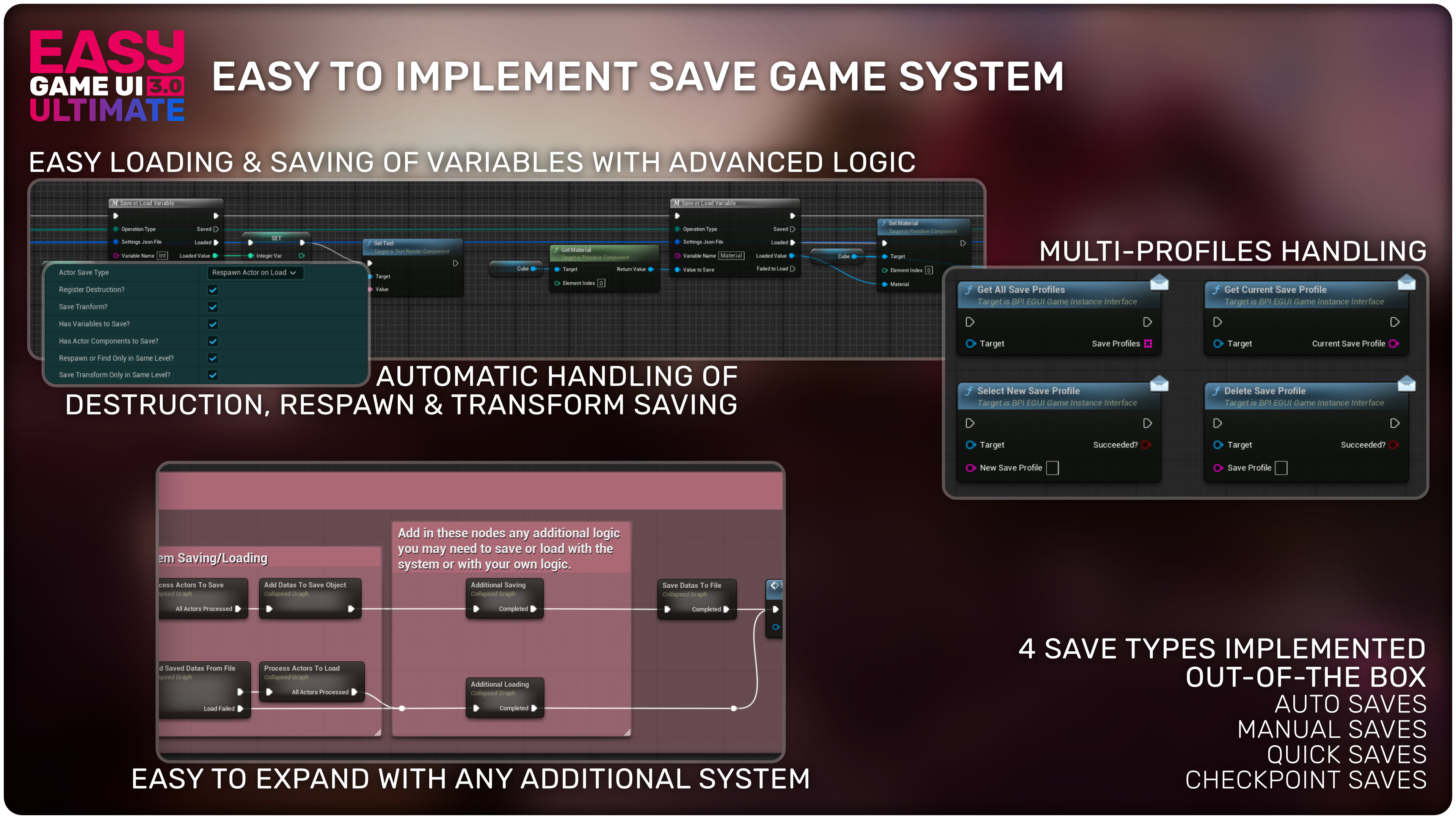
- Built-in & automatic handling of thumbnails, date, play time, versioning & save profiles
- Advanced Save Game Systems to handle the saving and loading of many actors and their variables
- 4 types of saves implemented out of the box: Auto Saves, Manual Saves, Quick Saves & Checkpoint Saves
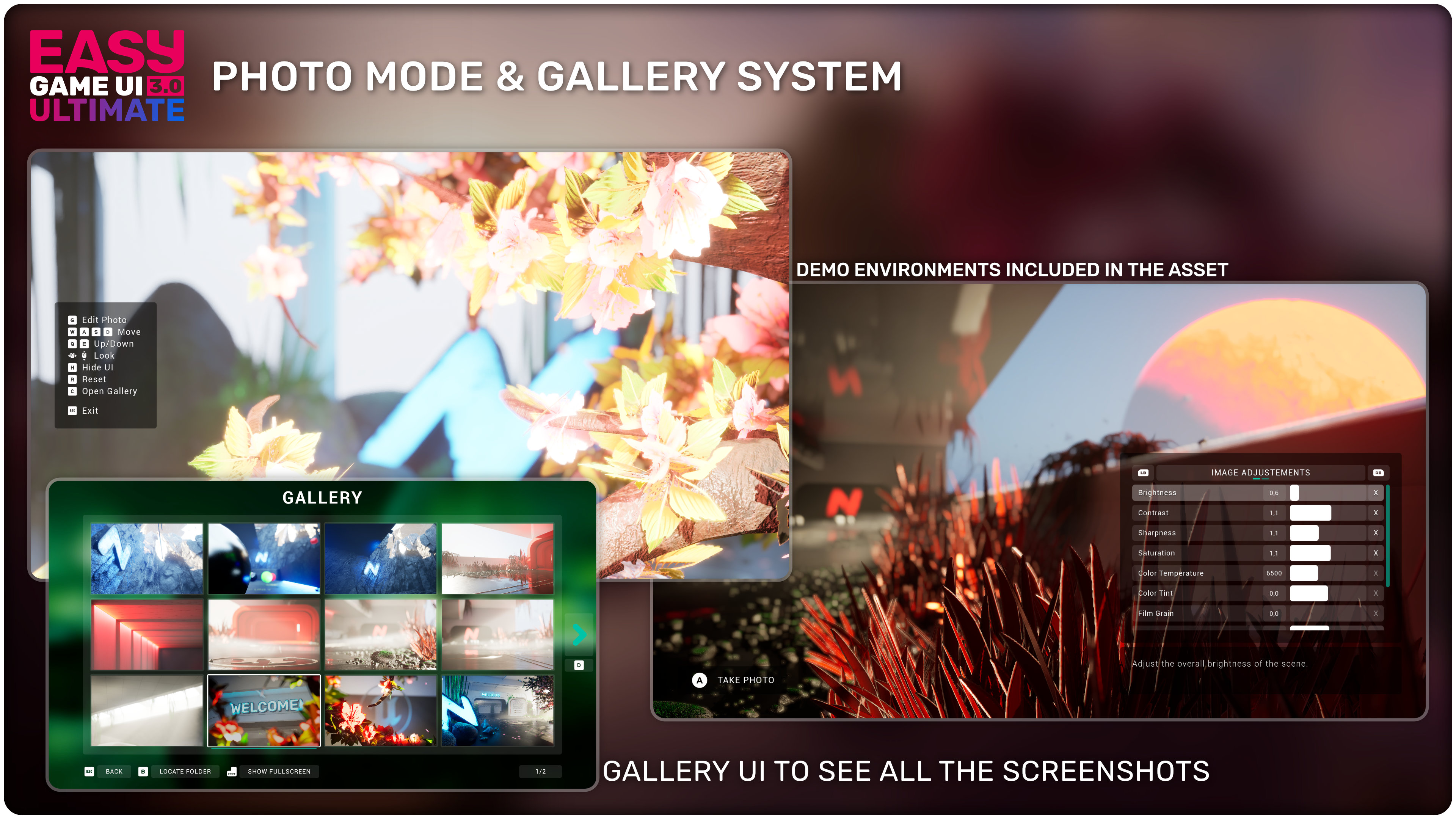
📸 Complete Photo Mode & Gallery
- Free Camera perspective with high quality controls
- Wide amount of camera and image settings to tweak
- Gallery UI to see all the captured screenshots directly in game
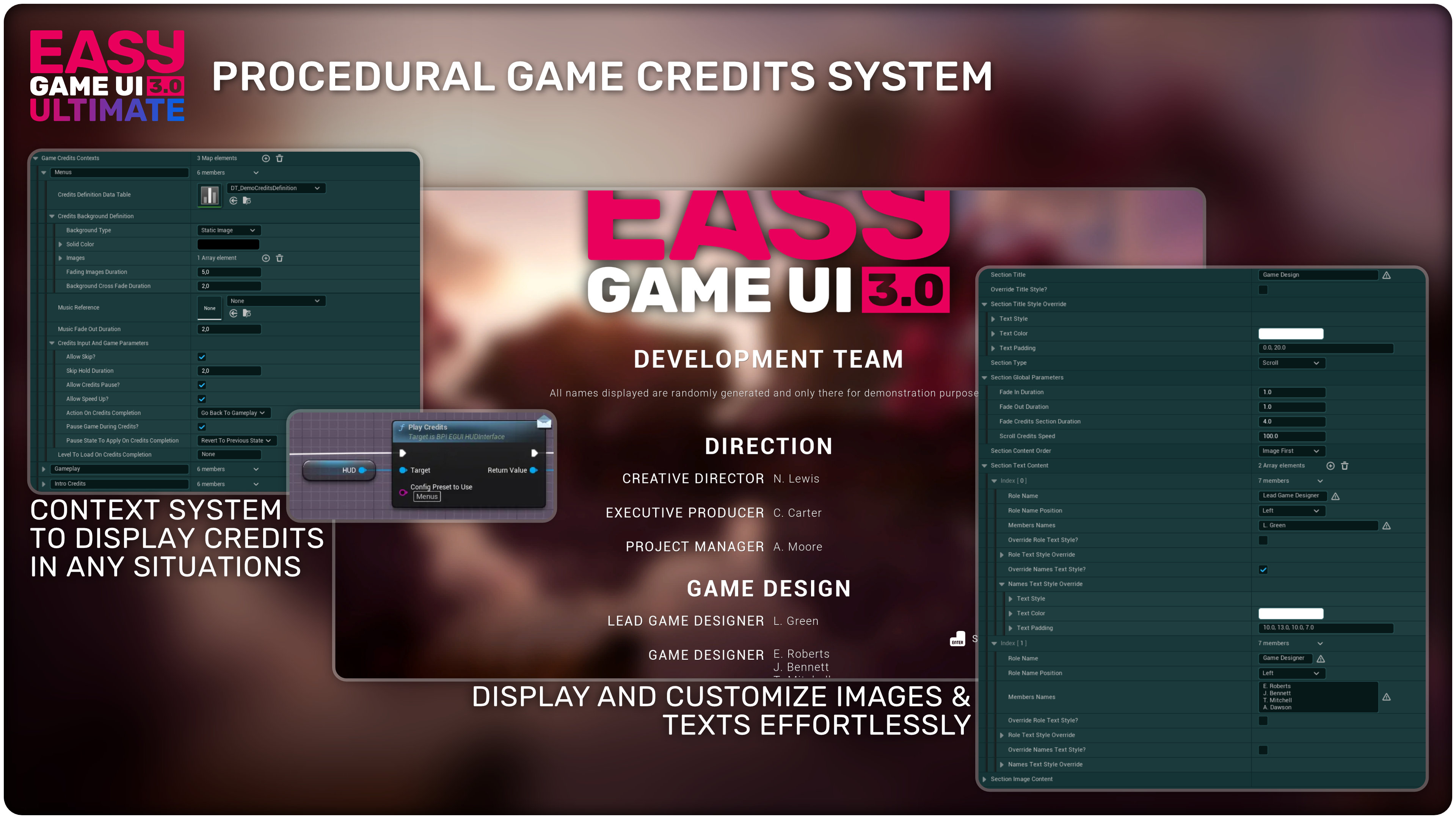
📃 Procedural Game Credits System
- Quick and easy definition of all your credits with Data Tables & Contexts
- Display images and texts effortlessly and with deep customisation
- Procedural generation of the needed widgets, no need to manually add texts in credits widgets!
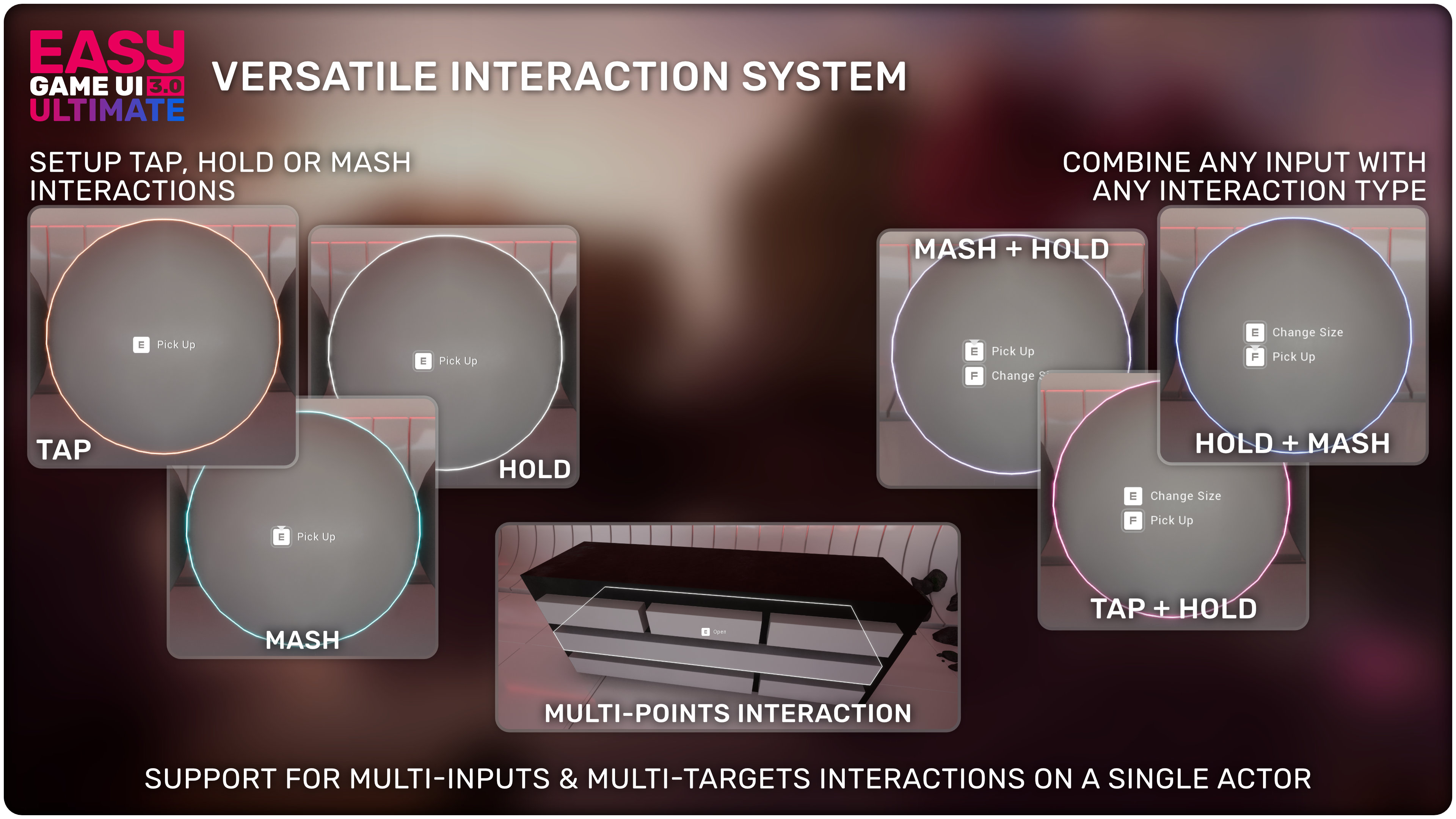
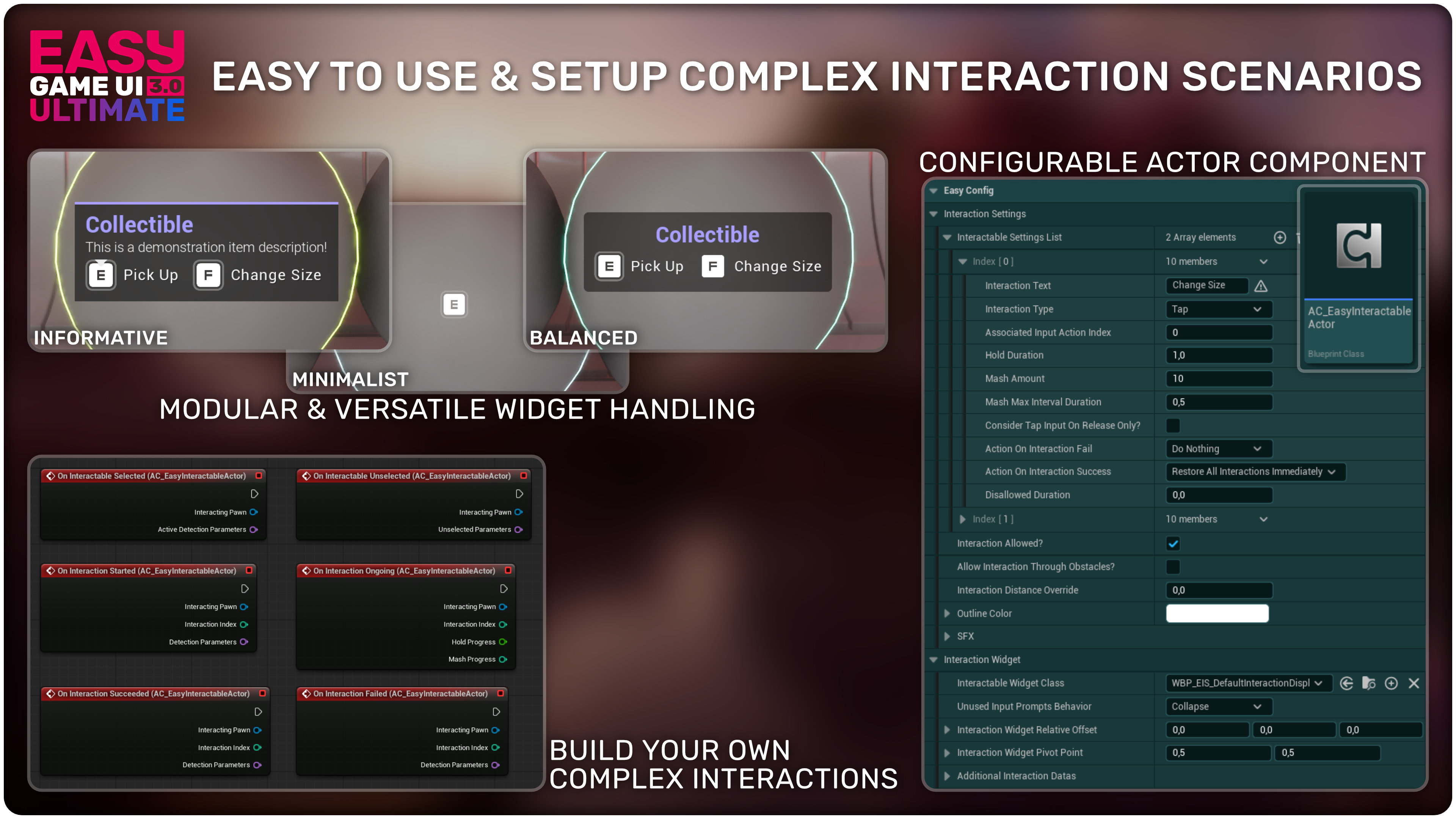
👆 Versatile Interaction System
- Effortless handling of multiple interaction inputs
- Support for Tap, Hold or Mash interactions that can easily be combined
- Versatile and highly customizable interaction widget system
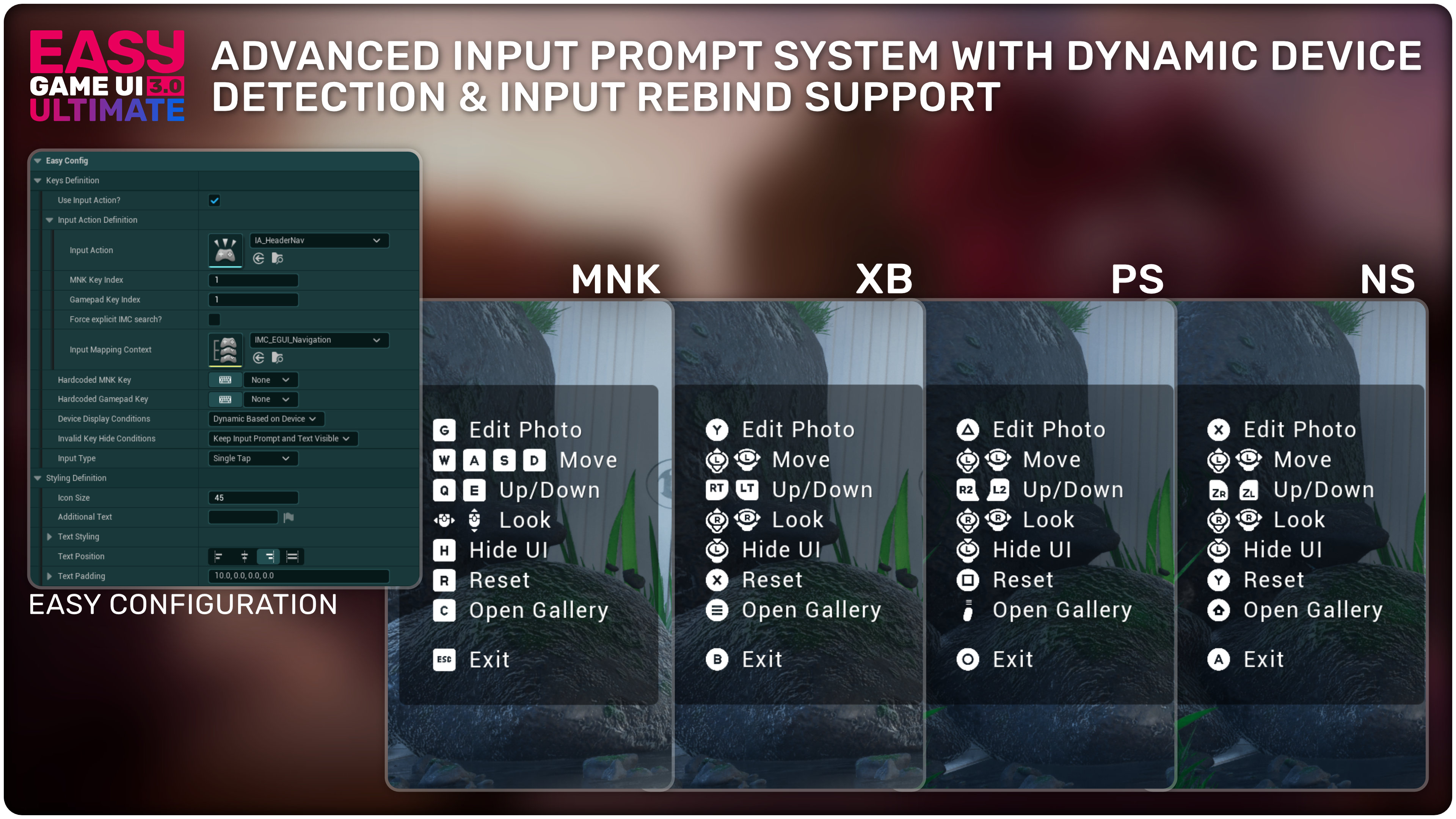
◻️ Dynamic Input Prompts System
- All gamepad, keyboard and mouse keys supported by Unreal are included and have a dedicated icon
- Can display Keyboard, Mouse and 3 types of gamepads icons
- Support dynamic detection of device changes and input rebinding
➕ Many More Features…
- Easy integration in a just a few steps for all features of the asset
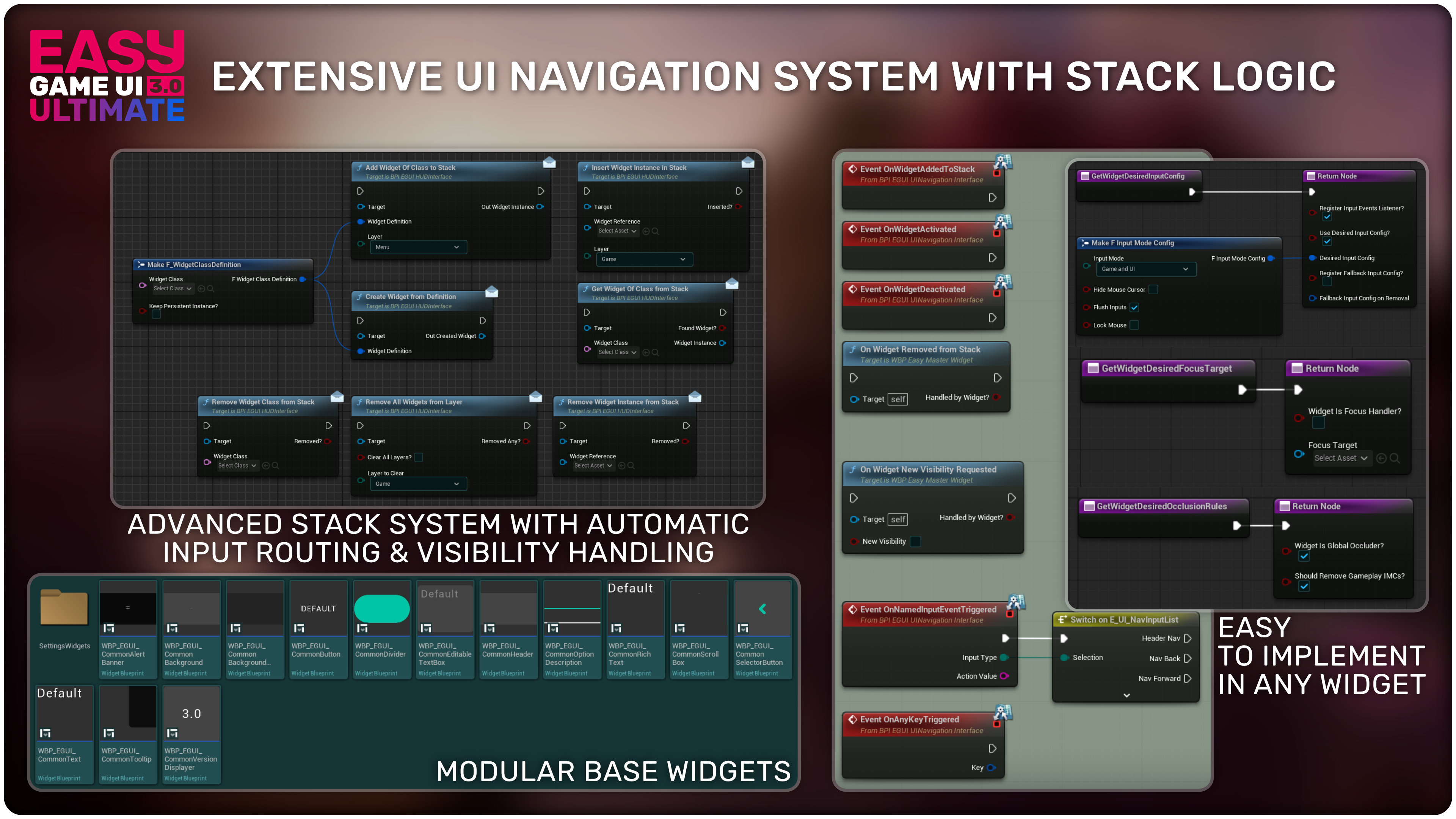
- Advanced UI Navigation System that can easily be expanded to any of your widgets with seamless gamepad, keyboard & mouse handling
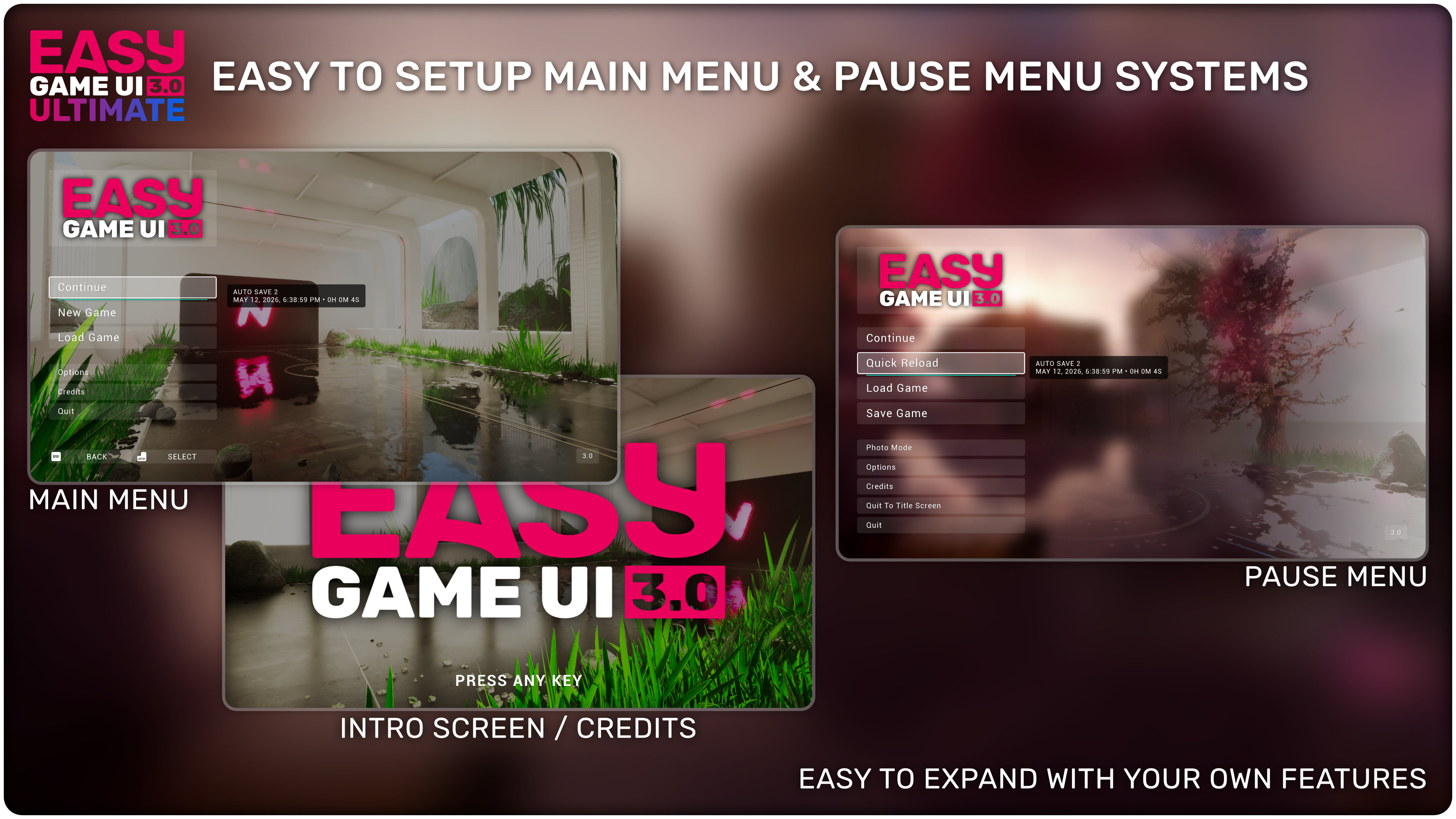
- Main Menu & Pause Menu Systems with native implementation of all included features (photo mode, options menu, save game systems, credits)
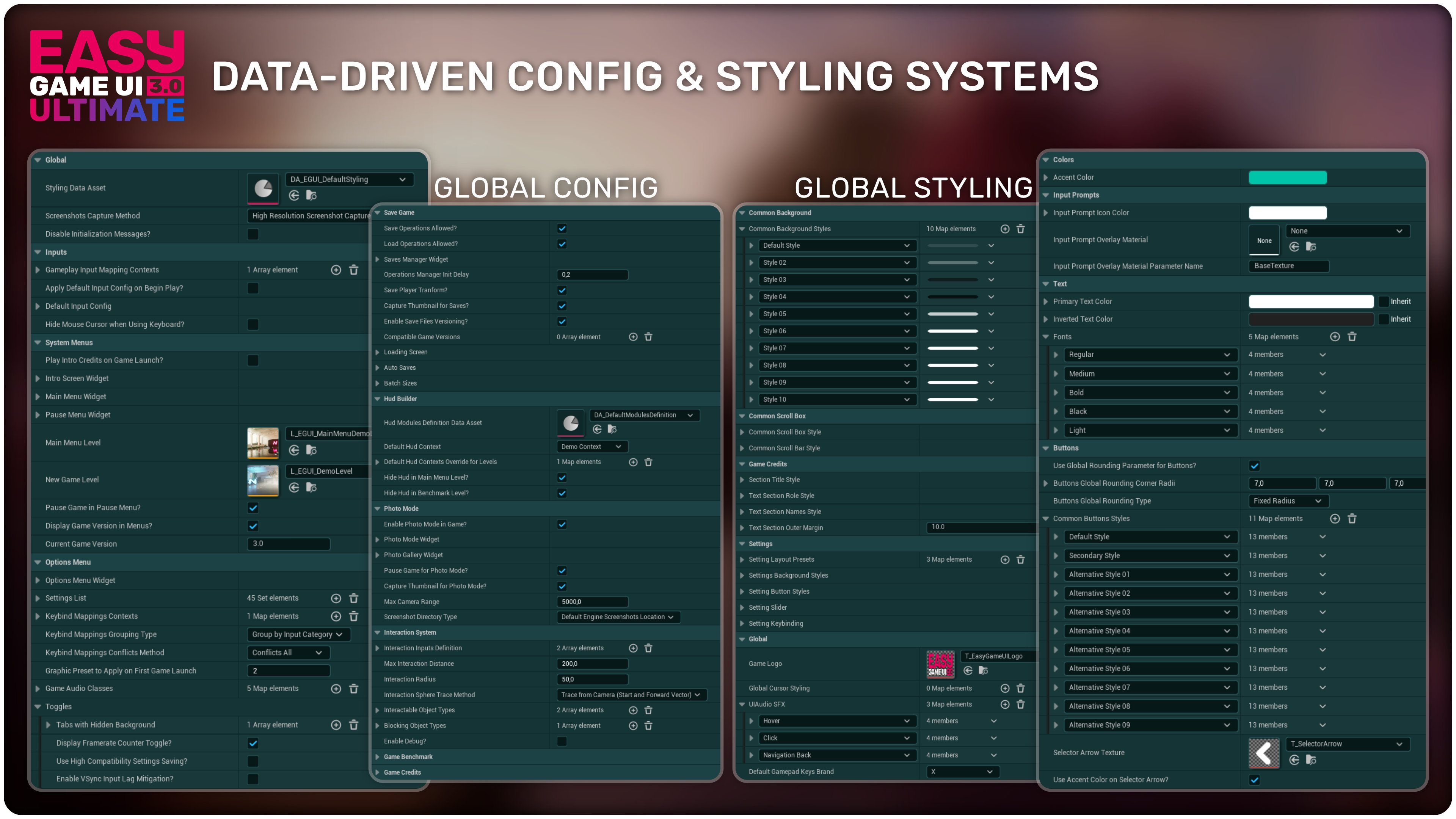
- Easy configuration and styling customization through data assets to tweak all the systems in the pack and the style of the menus to your liking
💛 Thank you for checking out my asset!
If you have any comments, suggestions, or ideas to help me improve this asset, I would love to hear from you!
Join my official Discord support channel to get the latest news, share your feedbacks and let me know how I can better meet your needs!
Technical Details
Blueprints & Widgets: 182
Inputs: Gamepad / Keyboard / Mouse
Latest version: Version 3.0 / May 27, 2026
Documentation:
Latest Documentation (Version 3.0+)
Legacy Documentation (Version 1.0)
Minimum Requirements
Some plugins and project settings are required, check out the documentation for more details.
Required Engine plugins: Blueprint File Utilities + JSON Blueprint Utilities
Required Project Setting: Set “Enable User Setings” to True
Features
- Advanced Config & Styling System
- Easy to Implement Main Menu & Pause Menu
- Options menu with In-Depth Video, Graphics Settings and Key Rebinding
- Game Benchmarking tool
- Powerful Hud Building Toolkit
- Save Game System & UI
- Procedural Game Credits System
- Photo Mode System & Gallery UI
- Versatile Interaction System
- Modular Widgets to easily expand your UIs
- Seamless Gamepad, Keyboard & Mouse Navigation
- Input Prompts with detection of input rebind, device change
Login is required to access this downloadLogin is required to access this download
You can contact us at any time and request that the asset you want be added to the site from the Request Asset section.