
Description
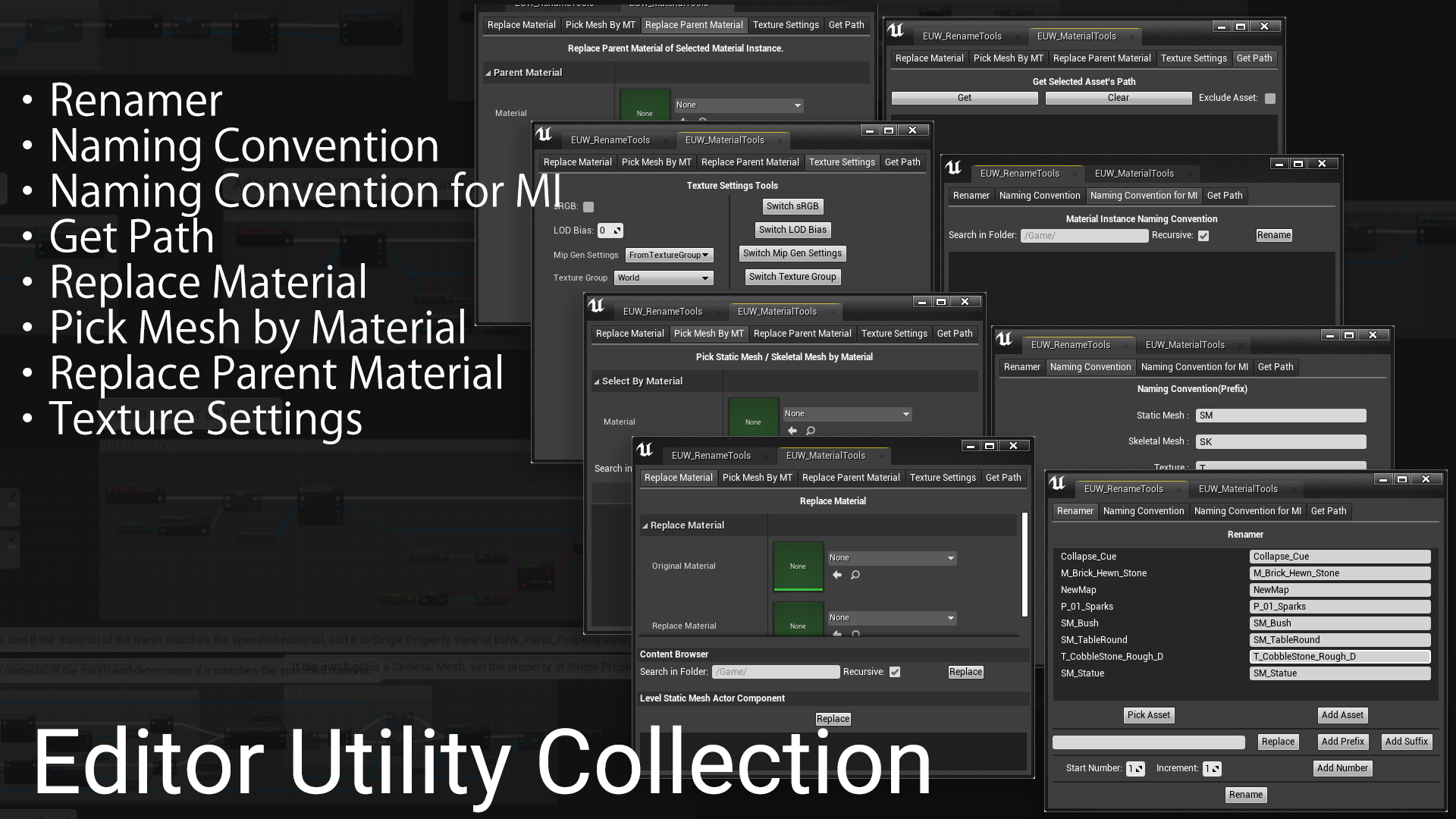
This is a collection of useful tools to streamline your work. It includes 7 tools for renaming and replacing materials etc.
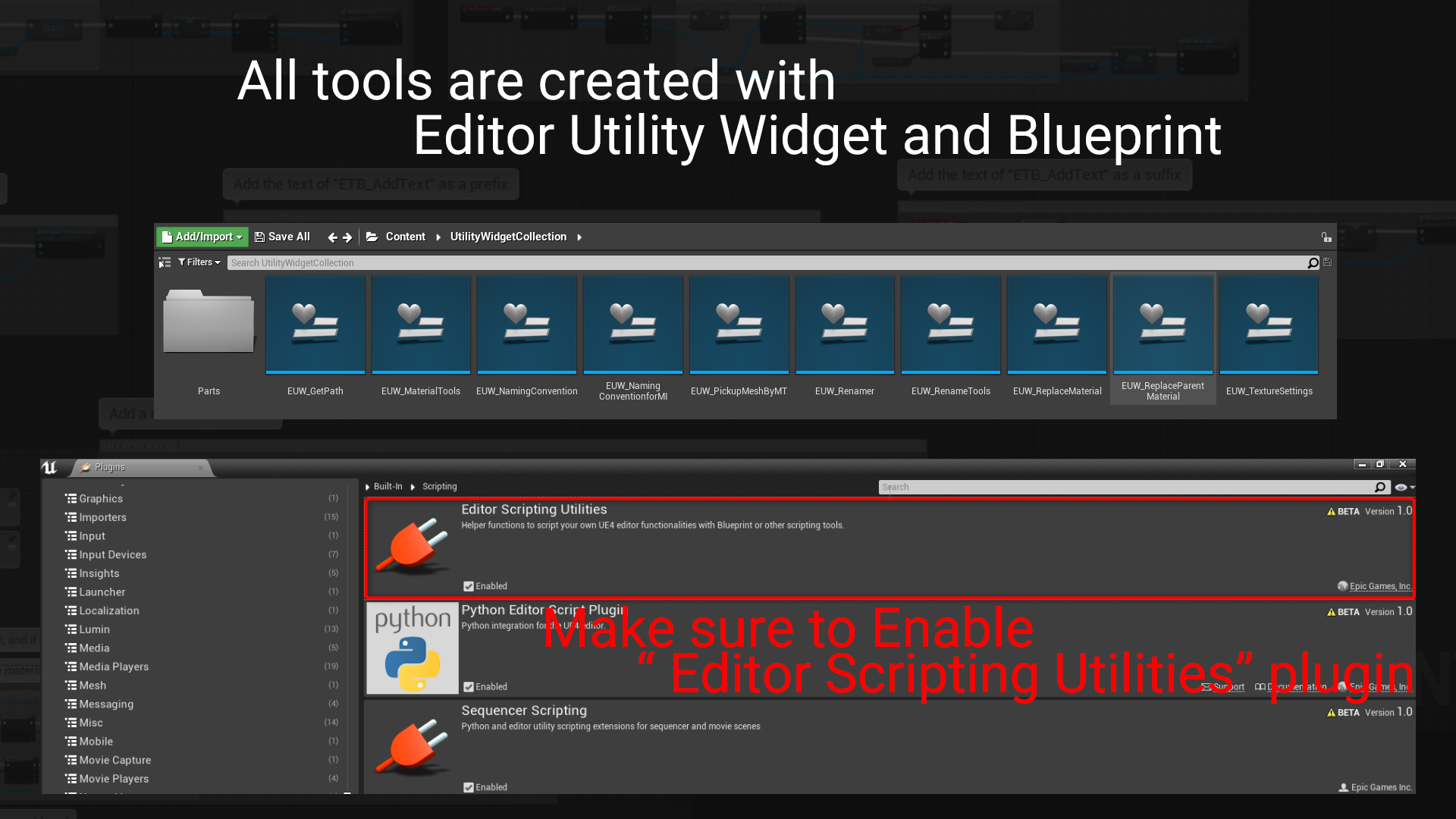
Everything is created with the Editor Utility Widget and Blueprint, so you can easily edit the tool to your liking!
For more information about this tool, please see the Video Overview or the documentation.
Technical details
Features:
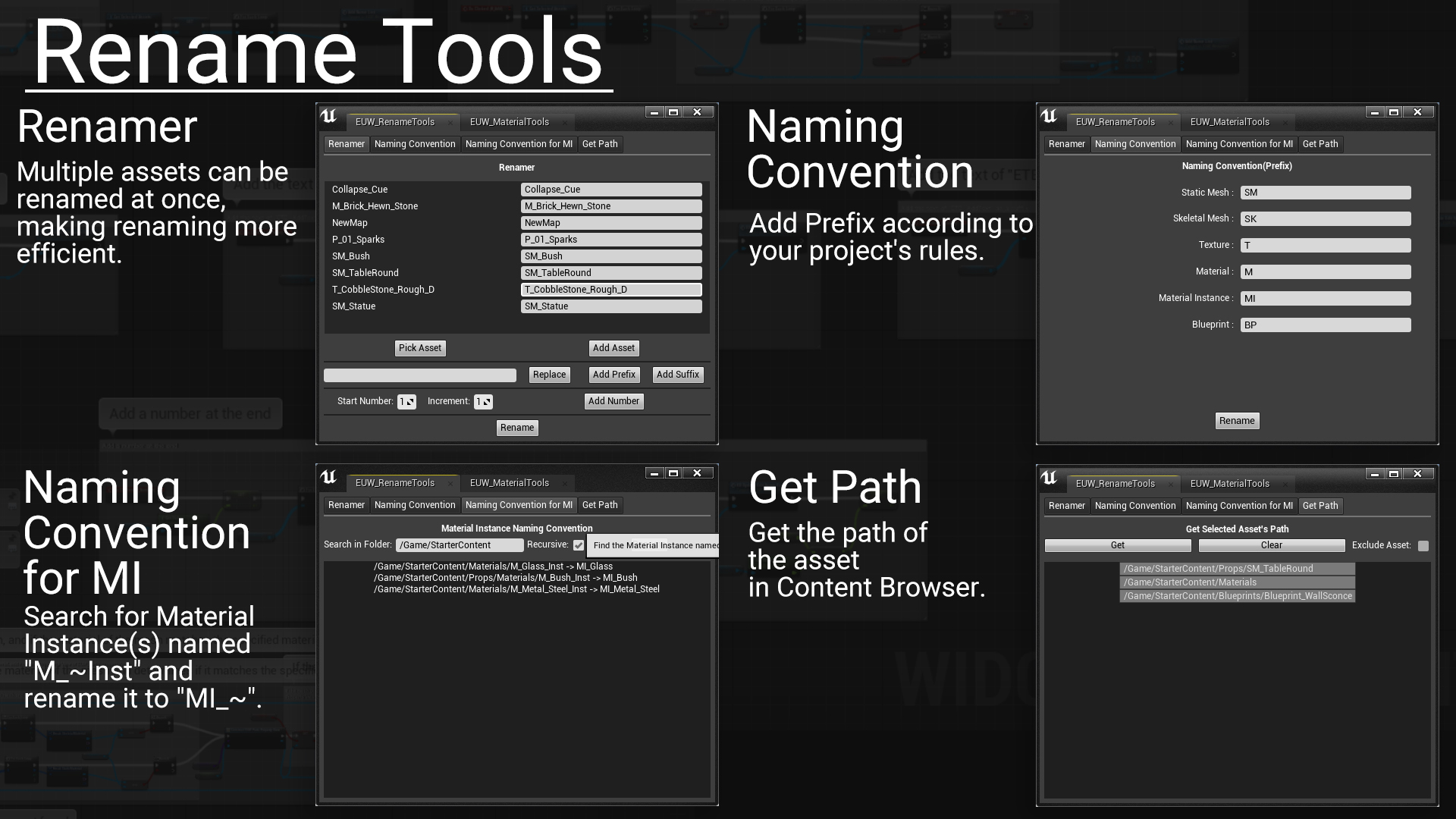
- Renamer : Multiple assets can be renamed at once, making renaming more efficient.
- Naming Convention : Add prefix according to your project’s rules.
- Naming Convention for MI: Search for Material Instance(s) named “M_~Inst” and rename it to “MI_~”.
- Get Path : Get the path of the asset in Content Browser.
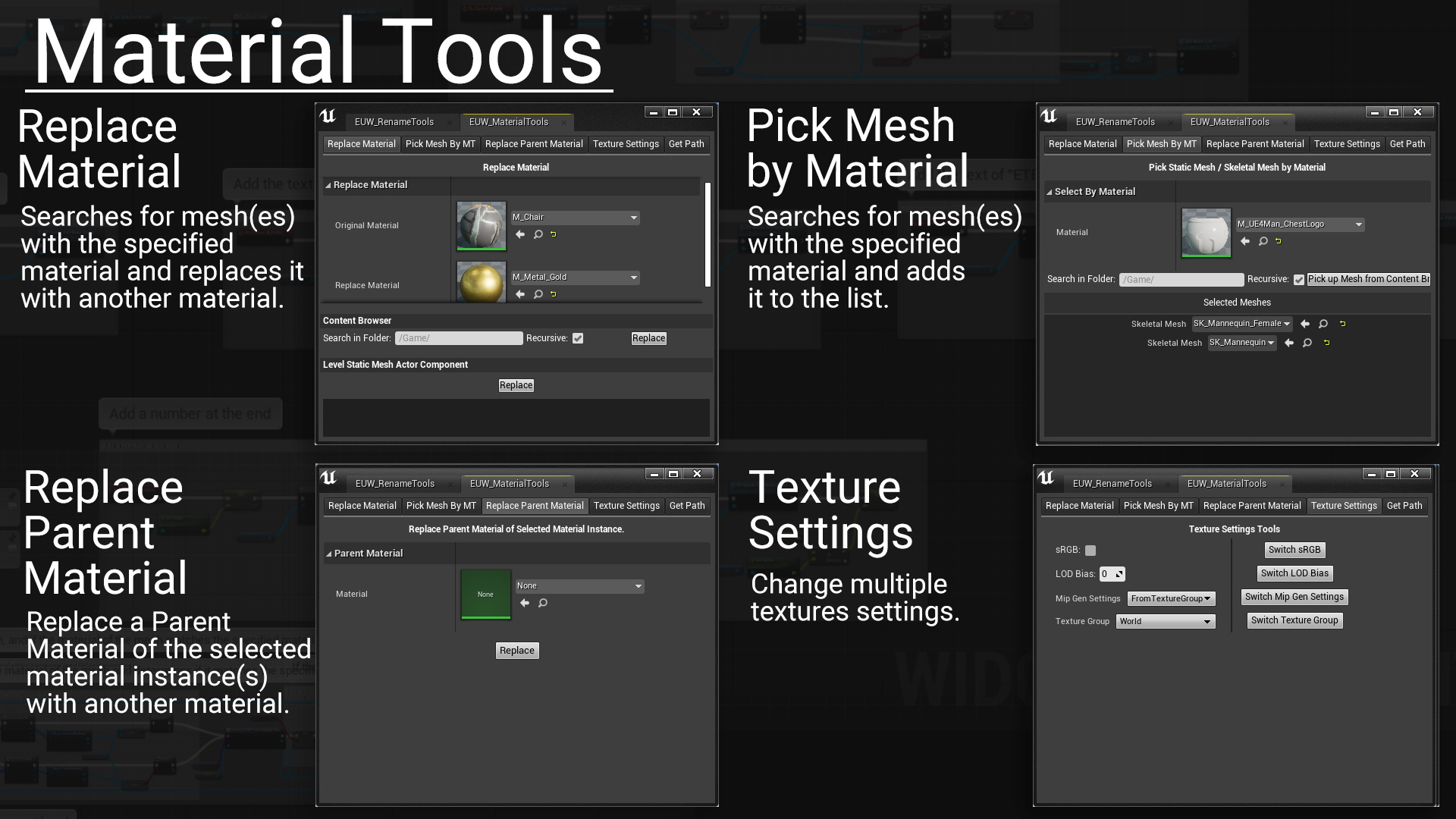
- Replace Material : Searches for mesh(es) with the specified material and replaces it with another material.
- Pick Mesh by Material : Searches for mesh(es) with the specified material and adds it to the list.
- Replace Parent Material : Replace a Parent Material of the selected material instance(s) with another material.
- Texture Settings : Change multiple textures settings.
Number of Blueprints: 12
Supported Development Platforms:
Windows: (Yes)
Mac: (Yes)
Documentation: Link
Important/Additional Notes: Make sure to enable the “Editor Scripting Utilities” plugin.
Login is required to access this download
VIP Downloads Today: 0 of 0
You can contact us at any time and request that the asset you want be added to the site from the Request Asset section.